
5 Must-Have AI Tools for Small Businesses This Year: Your Complete Guide to Working Smarter, Not Harder
47,000 small businesses are using these AI tools. Yours isn't one of them.
Hey there, fellow business owner! Let's have a real talk for a minute.
You're probably juggling a million things right now: customer emails that need responses, social media posts that should have gone out yesterday, invoices that need to be sent, and that presentation that's been sitting on your to-do list for weeks. Sound familiar?
Here's the thing: you're not alone in feeling overwhelmed.
Recent studies show that 68% of small business owners have now adopted AI technology, and there's a good reason why.
These smart tools aren't just fancy tech gimmicks; they're your new business partners that can handle the repetitive stuff so you can focus on what matters: growing your business and serving your customers.
I've been in your shoes, staring at my computer at 11 PM, wondering how I'm going to get everything done.
That's exactly why I want to share these five game-changing AI tools that have transformed how thousands of small businesses operate.
These aren't complicated or expensive solutions that require a computer science degree to understand.
They're practical, user-friendly tools that you can start using today.
By the end of this post, you'll know exactly which AI tools can solve your biggest daily headaches and how to implement them without breaking the bank or your sanity.
Let's dive in!
Before we start: Bookmark this page now so you can come back to reference these tools when you're ready to implement them.
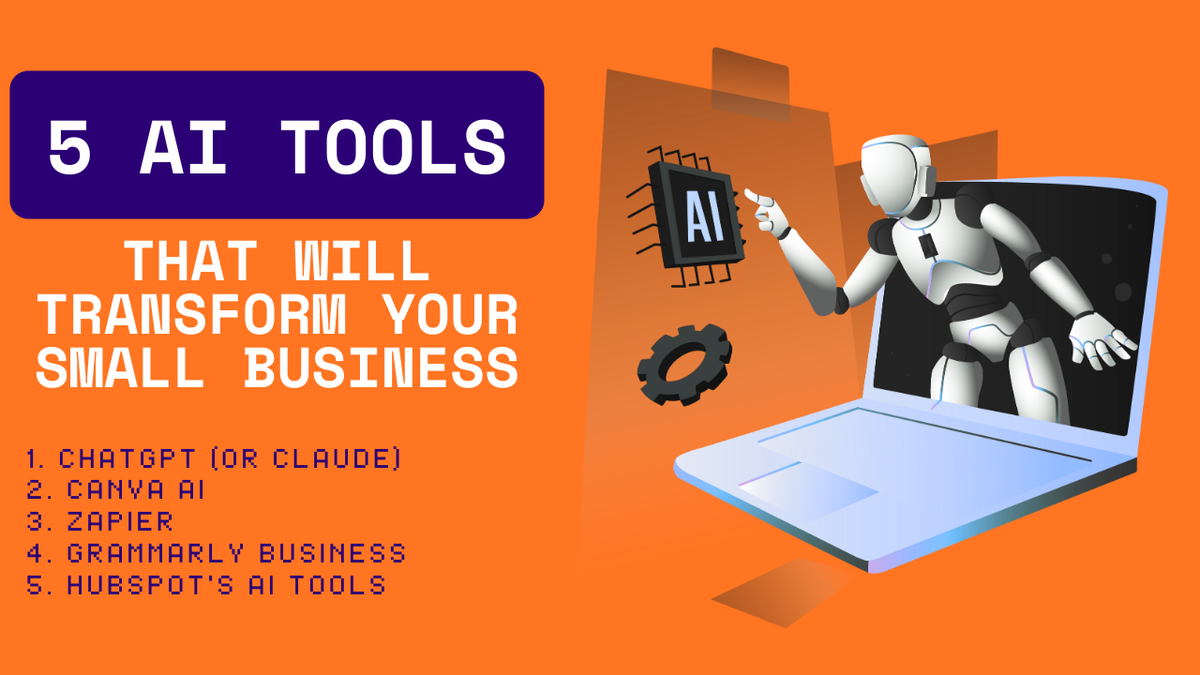
The 5 AI Tools That Will Transform Your Small Business
1. ChatGPT (or Claude) – Your 24/7 Business Assistant
Think of this as hiring the world's most patient employee who never takes a sick day.
ChatGPT stands out as one of the best AI tools for general assistance, and here's why every small business owner needs it:
What it does: ChatGPT can write emails, create social media content, draft proposals, answer customer questions, brainstorm marketing ideas, and even help with basic coding tasks.
Real example: Sarah, who runs a local bakery, uses ChatGPT to write her weekly newsletter.
Instead of spending 3 hours crafting the perfect email, she gives ChatGPT her key points and gets a polished newsletter in 10 minutes.
She then spends that saved time baking, which is what makes her money.
Best for: Content creation, customer service responses, brainstorming, administrative tasks
Cost: Free version available, paid plans start at $20/month.
Learning curve: About 30 minutes to get comfortable
2. Canva AI – Your Personal Design Team
Remember when you needed to hire a graphic designer for every small visual task?
Those days are over.
Canva's AI features have made professional-looking designs accessible to everyone.
What it does: Creates logos, social media graphics, presentations, flyers, and even videos using AI.
Just describe what you want, and it generates multiple options.
Real example: Mike runs a fitness coaching business and needed promotional materials for a new program.
Instead of paying $500 to a designer, he used Canva AI to create Instagram posts, Facebook ads, and a landing page banner in under an hour.
The result?
Professional-looking materials that helped him book 12 new clients in the first week.
Best for: Social media content, marketing materials, presentations
Cost: Free version available, Pro version at $15/month
Learning curve: 15 minutes to start creating
3. Zapier (with AI Features) – Your Automation Wizard
This is where the magic really happens.
Zapier lets you create custom AI chatbots and automate workflows without any coding.
What it does: Connects your different business apps and automates repetitive tasks.
For example, when someone fills out a form on your website, it can automatically add them to your email list, send a welcome email, and create a task in your project management tool.
Real example: Jennifer runs an online consulting business.
She set up a Zapier workflow that automatically schedules discovery calls when potential clients book through her website, sends them a welcome packet, adds them to her CRM, and blocks the time on her calendar.
What used to take her 20 minutes of manual work per lead now happens instantly.
Best for: Task automation, lead management, data synchronization
Cost: Free plan for basic automation, paid plans start at $20/month
Learning curve: 1-2 hours to set up your first automation
4. Grammarly Business – Your Professional Writing Coach
Every email, every social media post, every proposal represents your business.
AI writing tools are specifically built for teams that want to create compelling content at scale.
What it does: Checks grammar, suggests better word choices, adjusts tone for different audiences, and ensures your writing sounds professional and clear.
Real example: Tom owns a small law firm and was losing potential clients because his emails sounded too formal and intimidating.
Grammarly helped him adjust his tone to be more approachable while maintaining professionalism.
His client response rate increased by 40%.
Best for: Professional communication, content creation, team writing consistency
Cost: Individual plans start at $12/month, business plans at $15/month per user
Learning curve: Works automatically in the background
5. HubSpot's AI Tools – Your All-in-One Growth Engine
This is like having a marketing team, sales team, and customer service team all rolled into one smart system.
What it does: Manages your contacts, creates email campaigns, tracks customer interactions, generates reports, and even suggests the best times to follow up with leads.
Real example: Lisa runs a digital marketing agency.
HubSpot's AI analyzes her client interactions and provides her with exact follow-up times, tailored messaging, and targeted service recommendations based on each lead's behavior.
This helped her close 30% more deals without working longer hours.
Best for: Customer relationship management, email marketing, sales tracking
Cost: Free version available, paid plans start at $50/month
Learning curve: 2-3 hours to set up properly
Ready to try these tools? Start with the free versions of ChatGPT, Canva, and HubSpot today. You can have all three set up in under 30 minutes!

6 Common Questions Small Business Owners Ask About AI Tools
1. "I'm not tech-savvy. Are these tools too complicated for me?"
I hear this concern all the time, and I totally get it.
The good news? Modern AI tools are designed to be user-friendly extensions of software you're already using.
Most of these tools are built specifically for non-technical people.
Think of them like using a smartphone; you don't need to understand how the phone works to make calls, send texts, or take photos.
The same goes for AI tools.
Here's my recommendation: Start with just one tool.
Pick the one that solves your biggest daily headache.
Spend 30 minutes watching YouTube tutorials (there are tons of free ones), and then just start experimenting.
Most of these tools have free trials, so you're not risking anything.
I've seen 70-year-old business owners master these tools in a weekend.
If they can do it, so can you.
2. "How do I know which AI tool to choose first?"
This is probably the most important question because 48% of business owners say they struggle to choose the right tools.
Here's my simple decision-making framework:
Step 1: Write down the three tasks that take up most of your time each week.
Step 2: Match those tasks to the tools I mentioned:
- If you spend a lot of time writing (emails, social media, proposals) → Start with ChatGPT
- If you're always creating graphics or marketing materials→ Go with Canva AI
- If you do the same computer tasks over and over → Try Zapier
- If your writing needs to sound more professional → Pick Grammarly
- If you struggle to keep track of customers and leads → Choose HubSpot
Step 3: Pick ONE tool and use it for 30 days before adding another.
Remember, it's better to master one tool than to struggle with five.
Once you see the time savings from your first AI tool, you'll be motivated to add more.
3. "What if these AI tools make mistakes? I can't afford errors in my business."
This is a smart concern, and you're absolutely right to think about it.
Here's the reality: AI tools do make mistakes, just like humans do.
But the key is knowing how to use them properly.
The golden rule: Always review AI-generated content before using it, especially for important communications.
Think of AI as your first draft creator, not your final product creator.
For example, when I use ChatGPT to write an email to a potential client, I always read through it, make sure it sounds like me, check the facts, and adjust the tone if needed.
Pro tip: Start using AI tools for low-risk tasks first.
Use them for brainstorming ideas, creating first drafts, or handling routine communications.
Once you get comfortable with how they work, you can gradually use them for more important tasks.
Real example: David runs a plumbing business and was worried about AI giving wrong technical advice to customers.
So he started using ChatGPT only for scheduling appointments and sending follow-up emails.
Once he saw how well it worked for those simple tasks, he gradually trained it to help with basic customer questions while always double-checking technical information.
4. "I'm worried about data security and privacy. How do I protect my business information?"
70% of small businesses report concerns about data and privacy when using AI, so you're definitely not alone in this worry.
Here's how to protect yourself:
Choose reputable companies: Stick with well-known AI tools from established companies. The tools I mentioned (ChatGPT, Canva, Zapier, Grammarly, HubSpot) all have strong security measures and clear privacy policies.
Read the privacy policy: I know, I know, nobody likes reading those long documents.
But spend 10 minutes understanding how your data will be used.
Look for phrases like "we don't use your data to train our AI" or "your data is encrypted."
Don't input sensitive information: Never put customer credit card numbers, social security numbers, or other highly sensitive data into AI tools.
Use them for general business content, not confidential information.
Use business accounts: Many AI tools offer business versions with enhanced security features.
These usually cost a bit more but provide better protection and administrative controls.
Start small: Begin by using AI tools with less sensitive information.
As you build trust and see how they handle your data, you can gradually use them for more important tasks.
5. "How much will this actually cost me? I'm already watching every penny."
I completely understand budget concerns.
The beautiful thing about most AI tools is that they're designed to save you money, not cost you money.
Let's do some real math:
If you currently pay a freelancer $25/hour to write social media content, and it takes them 4 hours per month, that's $100/month.
Canva AI Pro costs $15/month and can do the same work in 1 hour that takes a freelancer 4 hours.
If you spend 10 hours a month on routine email responses at $25/hour (your time value), that's $250 worth of your time.
ChatGPT at $20/month can cut that time in half, saving you $125/month in time value.
Free options to start: Almost every tool I mentioned has a free version or free trial:
- ChatGPT: Free version available
- Canva: Free version available
- Grammarly: Free version available
- HubSpot: Robust free version available
- Zapier: Free plan for basic automation
My recommendation: Start with the free versions.
Once you see the time savings (which usually happens within the first week), the paid versions become an easy investment decision.
ROI calculation: If an AI tool saves you just 5 hours per month, and your time is worth $20/hour, that's $100 in time savings.
Most AI tools cost less than $50/month, so you're already making money.
Quick Action Step: Calculate your ROI using this formula - (Hours saved per month × Your hourly rate) - Tool cost = Your monthly profit. Share your results in the comments below!
6. "What if my employees resist using these new tools?"
Many organizations neglect to train and upskill their current employees, which can create a two-tiered workforce.
But this challenge is totally manageable with the right approach.
Here's my proven strategy for smooth AI adoption:
Start with yourself: Don't ask your team to use tools you haven't mastered yourself.
Spend a week learning the tool, then show them real examples of how it helped you.
Focus on benefits, not features: Don't say "We're implementing AI." Instead say "I found a tool that can cut our email response time in half and help us serve customers better."
Address fears directly: Many employees worry AI will replace them.
Be clear that these tools are meant to handle boring, repetitive tasks so they can focus on more interesting, valuable work.
Provide training: Set aside 2 hours for hands-on training.
Show them exactly how to use the tool with real examples from your business.
Start with volunteers: Ask who wants to try the new tool first.
Early adopters will become your champions and help convince the skeptics.
Celebrate wins: When someone uses AI to solve a problem or save time, share that success with the whole team.
Real example: Maria runs a real estate office and wanted her agents to use ChatGPT for property descriptions.
Instead of mandating it, she used ChatGPT to write a listing description that got 50% more inquiries than usual.
She shared this success story, and within a month, all her agents were asking to learn how to use it.
Ready to Transform Your Business? Here's Your Action Plan
I know I've thrown a lot of information at you, but don't feel overwhelmed.
Remember, the most successful business owners are the ones who take action, even if it's just small steps.
Your 30-day AI implementation plan:
Week 1: Choose one tool based on your biggest time drain. Sign up for the free version and spend 30 minutes exploring it.
Week 2: Start using your chosen tool for one specific task. Set a goal to use it every day, even if just for 10 minutes.
Week 3: Measure your time savings. How much faster are you completing that one task? Start thinking about what you'll do with that extra time.
Week 4: If you're happy with the results, consider upgrading to the paid version. If not, try a different tool.
The most important thing? Start somewhere.
I've seen too many business owners spend months researching the perfect AI solution while their competitors are already saving hours every week with simple tools.
These AI tools aren't about replacing the human touch that makes your business special – they're about giving you more time and energy to focus on what really matters: building relationships with your customers and growing your business.
You've got this! Pick one tool, spend 30 minutes setting it up today, and prepare to wonder how you ever managed without it.
Want more business automation tips? Subscribe to our newsletter for weekly AI tool reviews and step-by-step implementation guides that'll save you hours every week.
Found this helpful? Share it with a fellow business owner who's drowning in daily tasks - they'll thank you for it!
What's the first AI tool you're going to try?
I'd love to hear about your experience, the wins, the challenges, and everything in between.
Remember, every expert was once a beginner, and the best time to start is right now.