
Top 5 N8n Templates for Instant Business Automation
Okay so full disclosure - when I first heard about N8n I literally thought it was a typo.
Like someone meant to write "in" and had a keyboard malfunction.
Turns out it's "n-eight-n" (nodes in nodes out, get it?) and honestly even after using it for 8 months I still sometimes type "n8nn" by accident.
But anyway.
I spent way too much of my life clicking through the same tasks over and over.
You know that thing where you're like "this only takes 5 minutes" but then you realize you're doing it 6 times a day and suddenly that's 2.5 hours a week just... clicking buttons like a trained monkey?
Yeah. That was me.
Tried Zapier first (expensive and kept hitting limits), then Make.com (pretty good but the UI made my brain hurt), and finally landed on N8n as my workflow automation tool.
And look - I'm not gonna pretend I figured everything out smoothly.
I broke SO many workflows.
There was this one time I accidentally created an infinite loop that sent me 2,847 Slack notifications before I could shut it down.
My laptop sounded like a slot machine.
Good times.
But once you get past the learning curve, this thing is honestly incredible.
And it's free if you self-host.
Like actually free.
Best Zapier alternative I've found for serious business process automation.
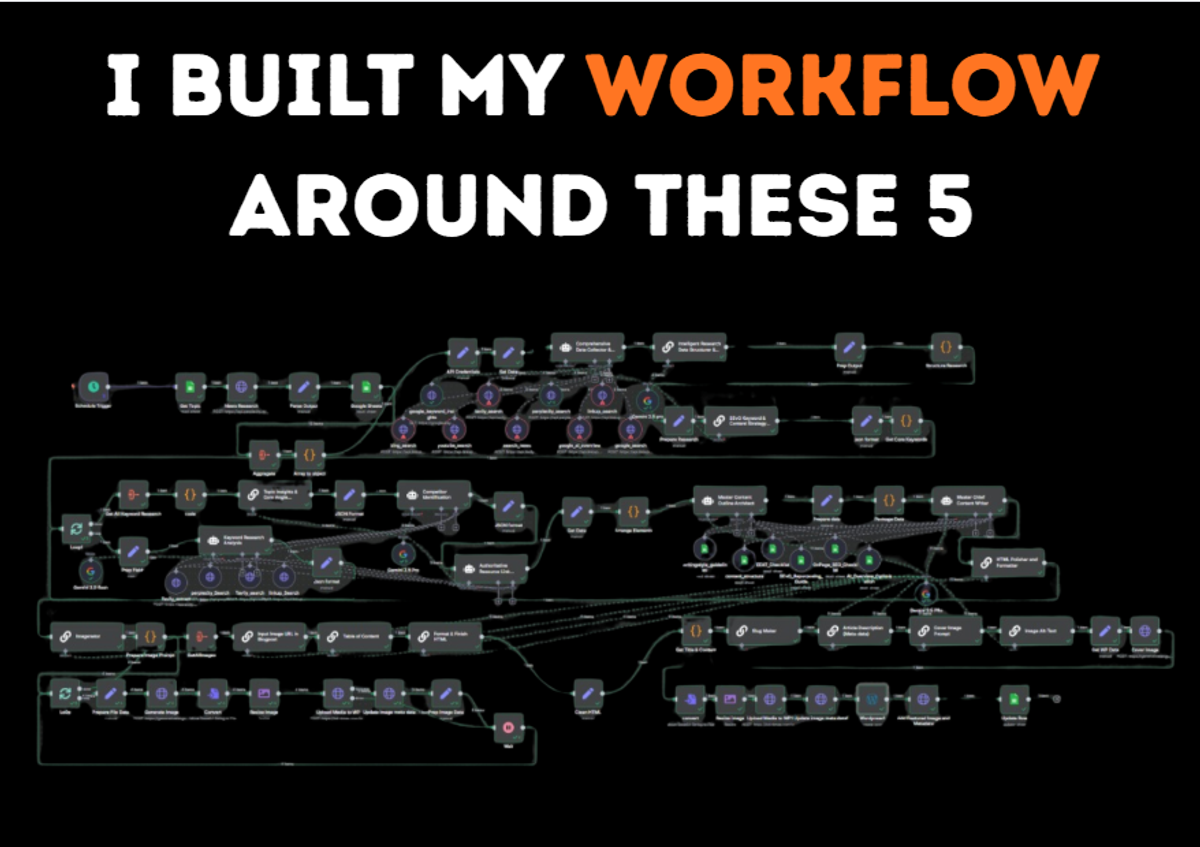
So here are the 5 N8n workflow templates that actually changed how I work. Not hypothetical - I run all of these.
1. Lead Enrichment That Actually Works
Here's the problem I had - we'd get leads in our CRM with just a name and email.
Then someone would have to manually Google them, check LinkedIn, figure out what they do.
And half the time? They just wouldn't. Too busy. So they'd go into calls basically blind.
This is actually similar to what we do with our Outreach Voice AI - instant lead engagement the moment someone shows interest.
But before AI can call them, you need the data.
My N8n workflow:
- New contact shows up in HubSpot
- N8n grabs it and sends the email to Clearbit API
- Clearbit sends back company size, revenue, tech stack, social profiles
- N8n writes it all back to HubSpot
- Also copies to a Google Sheet because I'm paranoid about losing data
Happens in like 4 seconds. Automatic.
Now here's where I messed up initially - no error handling.
So when Clearbit couldn't find someone (happens maybe 30% of the time), the workflow would just stop.
And I wouldn't know. I'd check a week later and realize half my leads weren't enriched.
Fixed it by adding an IF node.
If Clearbit returns data, update HubSpot. If no data, send me a Slack message so I can manually check.
Also Clearbit has rate limits.
Found that out when I tried to process 500 leads at once and got temporarily banned.
Now I batch them in groups of 50 with delays between batches.
2. Social Media Cross-Posting (But Make It Not Suck)
I hate writing the same thing multiple times.
Every platform wants different formatting.
LinkedIn wants professional thought leadership.
Twitter wants short and punchy.
There are tools for this but they cost money and don't really customize - they just blast the same thing everywhere.
My N8n version costs $5/month (server hosting) and does what I want.
How it works:
- I write posts in Notion with a status dropdown
- When I set status to "Ready to Post", N8n picks it up
- Reformats content for each platform (LinkedIn gets full post, Twitter gets trimmed)
- Uses each platform's API to schedule posts
- Marks Notion entry as "Published"
Best part - 24 hours after posting, N8n checks engagement and logs it back to Notion.
So I can see patterns. Like my LinkedIn posts do way better on Tuesday mornings.
One weird thing - Twitter's API is picky about formatting.
Line breaks especially.
You need double line breaks (\n\n) not single.
Took me 2 hours to figure that out.
Also test in sandbox mode first.
I once accidentally posted "test post please ignore" to our actual LinkedIn page.
4,000 followers saw that. I was thrilled.
3. Customer Feedback Loop
This saved our product team so much headache.
We were getting feedback from everywhere - Intercom, emails, website widget, Twitter DMs, LinkedIn messages.
It was chaos. Important stuff would get buried.
My aggregator workflow:
- N8n monitors all these sources (webhooks and APIs)
- Extracts key info - who, what they said, where it came from
- Categorizes it using keywords - Bug, Feature Request, Praise, Complaint
- Dumps everything into a master Google Sheet
- Urgent stuff (anything with "broken", "bug") gets immediate Slack notification
- Everything else batched into Monday morning digest email
We went from missing critical feedback to having a complete searchable record of everything.
Kind of like how CRM integration works - you need all your data in one place to actually use it.
Learning here - don't overcomplicate it.
My first version tried AI sentiment analysis and automatic priority scoring.
Too complex, broke constantly.
The simple keyword version works way better.
Sometimes simpler is actually better.
4. Content Repurposing Machine
This one is honestly kind of magical.
I write long blog posts - takes hours.
Then it just sits on the blog.
Seems like a waste, right?
This AI automation workflow turns one blog post into a week's worth of content:
- I publish on WordPress
- N8n detects it via RSS feed
- Sends content to OpenAI with a prompt: "extract 5 key insights as standalone social posts"
- Formats them as LinkedIn posts and saves as Buffer drafts
- Also pulls quotable one-liners and sends to Bannerbear for quote cards
- Downloads images to Google Drive
- Sends me Slack message with links to everything
From ONE blog post I get a week of content.
All on autopilot.
Real talk though - OpenAI API calls add up.
I was spending $40/month before optimizing.
Now I batch process posts every Sunday instead of real-time.
Saves 60% on costs.
Also your prompts matter SO much.
First outputs sounded like a corporate robot.
I copy-pasted examples of my actual social posts into the prompt.
Outputs got 10x better.
And always review before posting.
AI sometimes hallucinates facts that weren't in the original.
Don't trust it blindly.
5. Meeting Scheduler + CRM Sync
The problem: Someone books a meeting.
You get a calendar invite.
That's it. No context.
Then 5 minutes before the call you're frantically Googling them.
Been there? Me too.
This is where sales automation gets really powerful.
When someone books a meeting through Cal.com:
- N8n catches the webhook
- Looks them up in HubSpot (creates contact if new, updates if existing)
- Sends personalized confirmation email
- Posts to Slack with context: "John Smith from Acme Corp just booked a demo. He's visited pricing page 6 times. LinkedIn: [link]"
- 30 minutes before meeting, sends me Slack DM with summary
- After call ends, creates follow-up task in HubSpot
Real example - notification showed me someone had downloaded two case studies and spent 15 minutes on our integrations page.
I opened with "I see you've been checking out our integrations" and they were like "yes! exactly what I wanted to talk about."
Instant rapport.
This kind of instant lead engagement is exactly what our Outreach Voice AI does but with actual phone calls - reaching out within 30 seconds, pitching naturally, and booking meetings on the spot.
The N8n workflow handles the data side, the AI handles the conversation side.
The setup was annoying though.
Cal.com's webhook sends data in weird nested format.
Had to restructure it before sending to HubSpot.
And HubSpot needs specific field IDs, not names. Took an afternoon of trial and error.

What I Wish Someone Told Me
It's gonna break.
Not maybe. It will. APIs change. You'll make typos. Build error handling and set up notifications.
Start stupid simple.
My first workflow was "when I get an email from X person, send Slack message." That's it. 10 minutes. Built confidence. Don't try building the content machine first.
Test with fake data.
Do NOT test on real leads. I learned this after sending a test email saying "HEY NAME_PLACEHOLDER" to 23 actual customers. Fun day.
Document solutions.
I keep a Notion page for weird fixes. "If Airtable webhook stops, toggle it off and on" - sounds dumb but works and I'd forget otherwise.
The N8n community is amazing.
Forum and Discord helped me solve tons of problems. Don't struggle for 4 hours when you could ask and get an answer in 20 minutes.
Should You Try This?
If you're connecting two apps in a basic way, Zapier is faster. More plug-and-play.
But if you need real logic - branching, data transformation, complex workflows - N8n wins. as a workflow automation platform. And no usage limits is huge.
Learning curve is real though.
Give yourself a weekend. You'll break stuff. Get frustrated. Then something works and you'll feel like a wizard.
I started with these 5 automation templates because they solved daily annoyances.
Now I have 20+ workflows running. All save me time.
And honestly, automation is just one piece of the puzzle.
These N8n workflows handle the data and scheduling side.
But what about actually talking to leads? That's where voice AI comes in.
Our Outreach Voice AI handles the conversation part - calling leads within seconds, pitching your service naturally, booking meetings in real-time, and following up automatically.
It's like having an SDR that never sleeps and syncs everything back to your CRM.
Where to Start
Pick ONE task that annoys you daily. Not "this would be cool" - something that genuinely pisses you off.
Build a basic version. Get it working. Use it for a week. See what breaks. Fix it.
Then move to the next task.
Don't automate your entire business in one weekend. Small wins build momentum.
Even if you only build ONE of these workflow automation templates and it saves 90 minutes a week, that's 75 hours a year. Almost two full work weeks. That's worth it.
You don't need to be an automation expert.
Just curious enough to try, patient enough to debug, and stubborn enough to not quit after the first error message.
Now go break some workflows.
It's how you learn.Want to learn how AI agents can save you hours every week?
Follow my newsletter for deep-dive insights. And if you’re ready to automate your business, let’s talk.