

Zapier vs. Make vs. n8n vs. Relevance: The Ultimate AI Workflow Showdown

You've got repetitive tasks eating up your day.
You know automation is the answer.
But choosing the right workflow automation tool feels overwhelming.
Should you go with Zapier, the most popular option?
Or try the visual Make platform?
Explore the open-source n8n?
Or jump into the AI-native Relevance platform?
I've spent weeks testing these platforms.
I've built real workflows and hit their limitations.
In this guide, I'll show you exactly what each tool does best.
And most importantly - which platform fits your specific needs.
By the end of this post, you'll know which platform deserves your time and money.
This decision depends on your technical skills, budget, and automation goals.

Understanding Your Workflow Automation Needs
First, let's clarify what you're actually looking for.
Workflow automation tools connect your apps and services.
They automatically move data between them.
Think of them as digital assembly lines for your business processes.
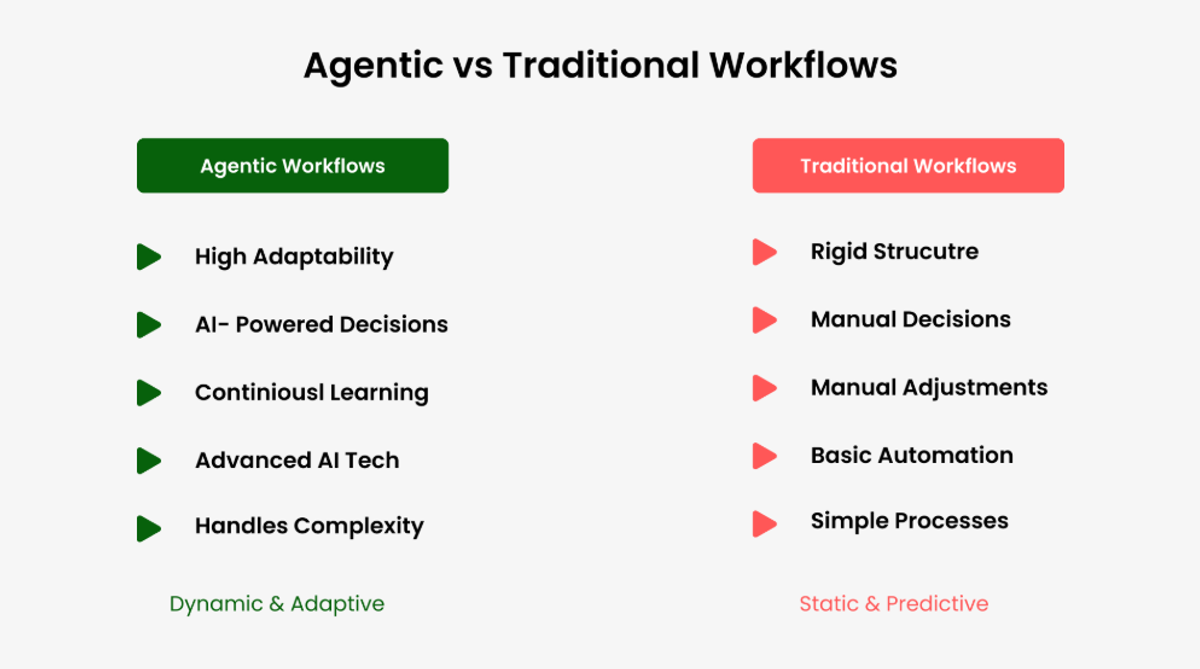
The right choice depends on three key factors:
Your technical expertise - Are you comfortable with code, or do you need a completely no-code solution?
Your budget - Can you invest in premium features, or do you need a free tier that actually works?
Your use case - Are you automating simple tasks, building complex AI workflows, or creating integrations for clients?
Keep these questions in mind as we explore each platform.
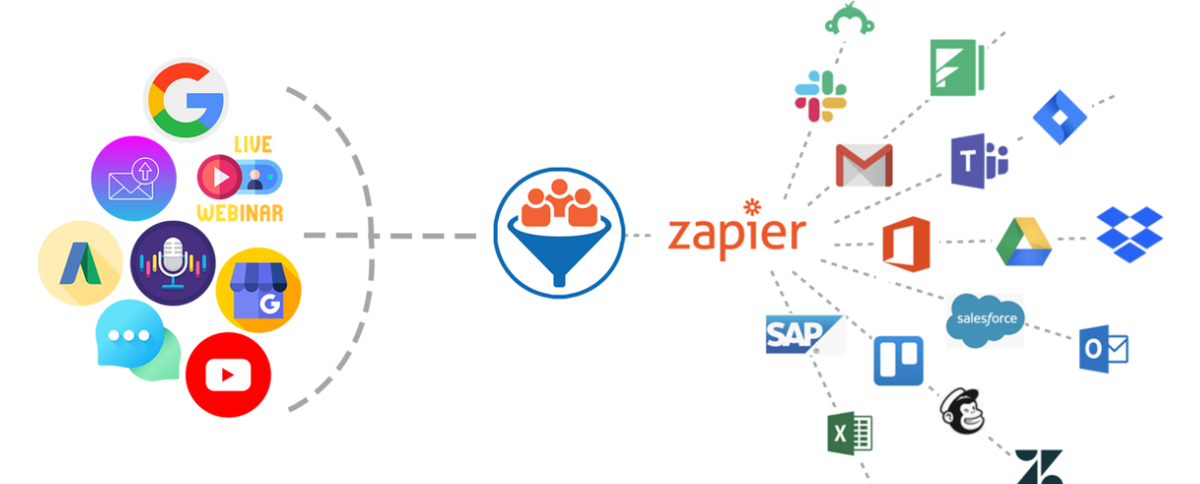
Zapier: The Industry Standard for Good Reason
Zapier pioneered the automation space and remains the go-to choice for millions of users.
It's like the iPhone of automation tools - not always the most powerful, but consistently reliable and user-friendly.
What Makes Zapier Stand Out
The platform's biggest strength is its massive library of over 7,000 app integrations.
If you're using popular business tools like Gmail, Slack, Salesforce, or Trello, Zapier almost certainly supports them.
This extensive ecosystem means you can connect virtually any combination of apps without writing a single line of code.
The interface is refreshingly simple.
You create "Zaps" that follow a trigger-action pattern.
When this happens in one app, do that in another app.
For example, when someone fills out a Google Form, automatically create a new row in your spreadsheet and send a Slack notification.
Zapier offers built-in error handling, detailed activity logs, and reliable uptime.
These features matter when you're running business-critical automations that can't afford to break.
Real-Life Success Story: TinySuperheroes
TinySuperheroes founder Robyn Rosenberger used to manually create orders for every cape.
In the first 5 years, she shipped 10,000 capes, but with Zapier she shipped 10,000+ capes in just one year.
Zapier automatically handled order creation, inventory management, and shipping labels.
This automation saved hours of manual work and helped the business scale drastically.
Source: Zapier Case Study - TinySuperheroes
Real-Life Success Story: Remote
Remote company scaled IT support with automation and AI, saving 12,000+ workdays and $500,000 in headcount savings.
Source: Zapier Customer Stories
Where Zapier Falls Short
The elephant in the room is pricing - Zapier gets expensive fast.
The free plan limits you to 100 tasks per month.
This sounds reasonable until you realize that each action in a workflow counts as a task.
Run a simple three-step automation 30 times, and you've used up 90 tasks.
Premium plans start at $19.99 per month but quickly escalate to hundreds of dollars.
This pricing model particularly hurts small businesses and solopreneurs who need automation most.
Another limitation is the linear, step-by-step workflow structure.
While perfect for simple automations, it becomes restrictive when you need complex branching logic, loops, or parallel processing.
You'll find yourself working around Zapier's constraints rather than building the exact workflow you envisioned.
Finally, while Zapier has added AI features, it wasn't built with AI workflows in mind.
Integrating multiple AI models, handling dynamic prompts, or building sophisticated AI agents feels clunky compared to AI-native platforms.
Make: Visual Automation for Complex Workflows
Make (formerly Integromat) takes a different approach.
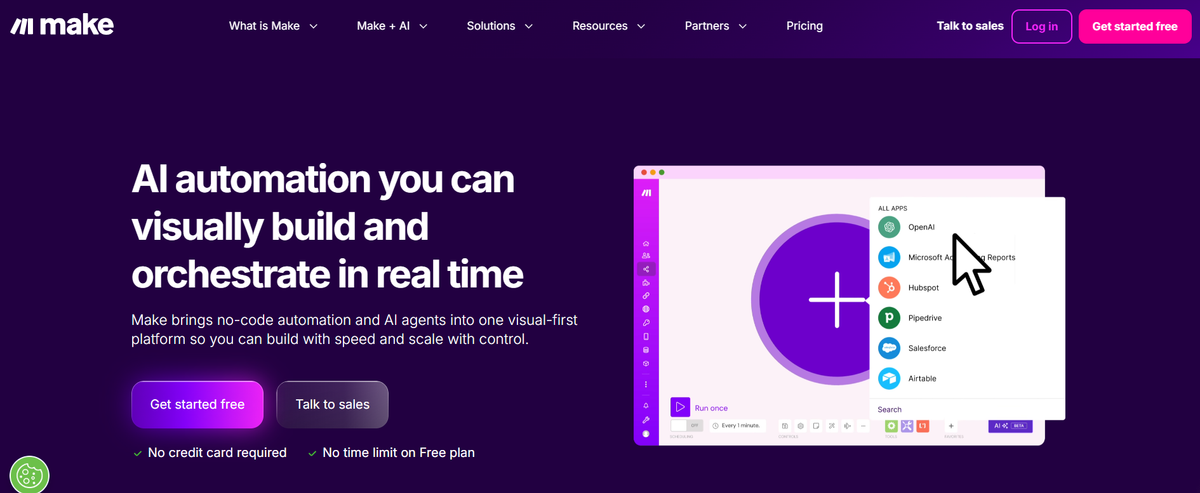
Instead of linear workflows, it offers a visual canvas where you can see your entire automation at a glance.
It's like moving from Excel to Airtable - same concept, completely different experience.
Make's Visual Advantage
The visual builder is Make's standout feature.
You drag and drop modules onto a canvas.
You connect them with lines that show how data flows.
This visual approach makes it much easier to build and understand complex workflows with multiple branches, conditions, and parallel paths.
Make excels at data transformation.
The platform includes powerful tools for manipulating data as it moves between apps.
Filtering, formatting, aggregating, and restructuring information with surprising flexibility.
If you're dealing with complex data that needs significant processing between apps, Make handles it elegantly.
The pricing structure is also more generous than Zapier's.
Make's free tier offers 1,000 operations per month.
Its paid plans deliver more value per dollar.
For teams building moderately complex automations, this pricing difference can save thousands annually.
Real-Life Success Story: Pipedrive Migration
A client migrated to Pipedrive and needed to replicate custom automations that were previously handled by custom scripts in their old CRM.
To solve this project, they created 5 different scenarios, with one scenario using 100+ modules in Integromat (now Make).
The Router module divided the workflow into 10 possible routes.
This complex automation has been running successfully since February 2021 without major issues.
Source: Make/Integromat Pipedrive Case Study
Make's Challenges
The visual builder, while powerful, comes with a learning curve.
New users often feel overwhelmed by the interface.
Building your first few scenarios takes longer than creating equivalent Zaps.
The platform assumes a certain level of technical understanding, particularly around data structures and HTTP requests.
The app library, while substantial with over 1,500 integrations, doesn't match Zapier's extensive catalog.
You might find that a niche tool you're using isn't available.
This forces you to use webhooks or custom API requests.
Documentation can be inconsistent.
Community resources are less abundant than Zapier's.
When you hit a roadblock, finding answers sometimes requires digging through forums or experimenting through trial and error.
n8n: Open-Source Power for Technical Users
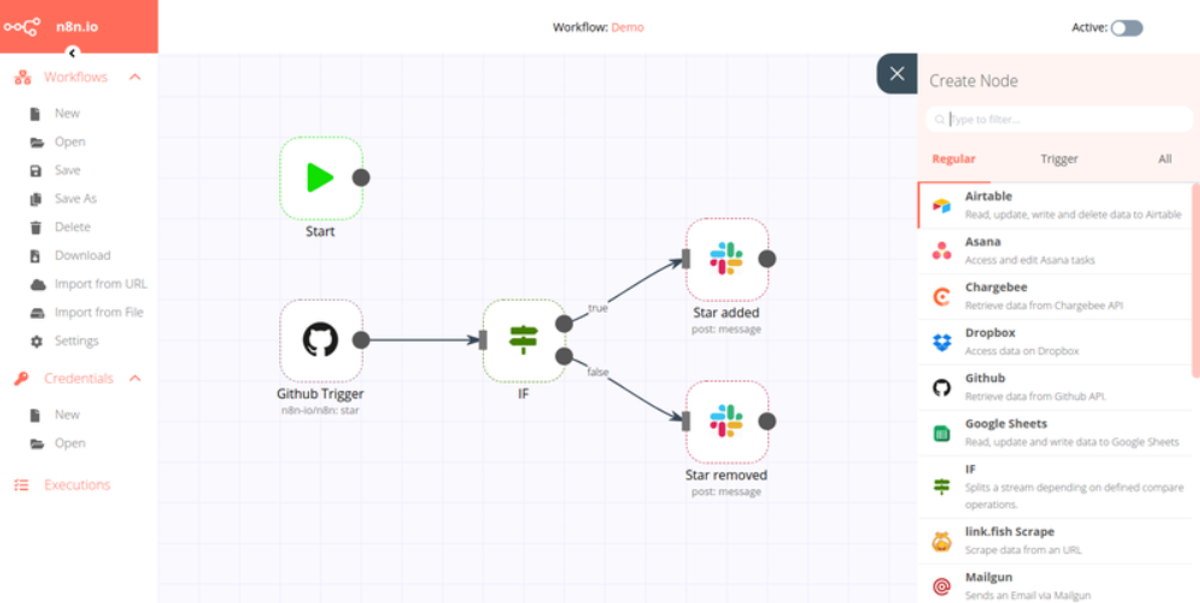
n8n brings open-source flexibility to workflow automation.
If Zapier is the iPhone and Make is an Android phone, n8n is a custom-built Linux machine.
Powerful, customizable, but requiring technical know-how.
Why Developers Love n8n
The self-hosted option is n8n's killer feature.
You can run the entire platform on your own servers.
This gives you complete control over your data, customization options, and costs.
For companies with strict data privacy requirements or developers who want to modify the platform itself, this is invaluable.
n8n supports custom JavaScript code nodes.
You can write custom logic directly in your workflows.
This flexibility means you're never limited by the platform's built-in features.
If you can code it, you can automate it.
The pricing model is transparent and fair.
The cloud version offers a generous free tier.
Self-hosting costs only what you pay for server infrastructure.
For high-volume automations, this can mean dramatic cost savings compared to proprietary platforms.
The platform also has strong AI capabilities, with native nodes for OpenAI, Anthropic, and other AI services.
Building AI-powered workflows feels natural rather than bolted on.
Real-Life Success Story: Bordr
Bordr used n8n to automate the Portuguese NIF (tax ID) application process and built a $100K online business.
After implementing workflow automation, Bordr saw a significant increase in productivity, helping them process NIF orders at a quick steady pace.
Bordr created a workflow to generate power of attorney PDFs that used 18 nodes.
The workflow to send customers their NIF used 9 nodes.
Automation helped them scale operations without sacrificing customer service.
Source: n8n Case Study - Bordr
Real-Life Success Story: Kunai
Kunai used n8n to save 300+ hours of software development work thanks to migration workflows.
Setting up the migration workflow took only 2 days of work, compared to 12 weeks if they hadn't used n8n.
Data migrated seamlessly from JazzHR to Lever and then to Greenhouse.
Source: n8n Case Study - Kunai
n8n's Barriers to Entry
The biggest limitation is technical complexity.
While n8n offers a no-code interface, you'll frequently need to dive into JavaScript to solve complex problems.
If you're not comfortable with code, you'll hit frustrating walls.
Self-hosting, while powerful, requires DevOps knowledge.
You need to handle server setup, security updates, backup strategies, and scaling.
For non-technical teams, this overhead outweighs the benefits.
The app library, while growing, is smaller than both Zapier and Make.
The community actively builds custom nodes, but finding and implementing them adds complexity to your workflow.

Relevance: Built for the AI Era
Relevance AI takes a fundamentally different approach.
Rather than adapting traditional automation for AI, it was built from the ground up for AI-powered workflows.
It's the newest player in this comparison but brings fresh ideas to the table.
Relevance's AI-First Approach
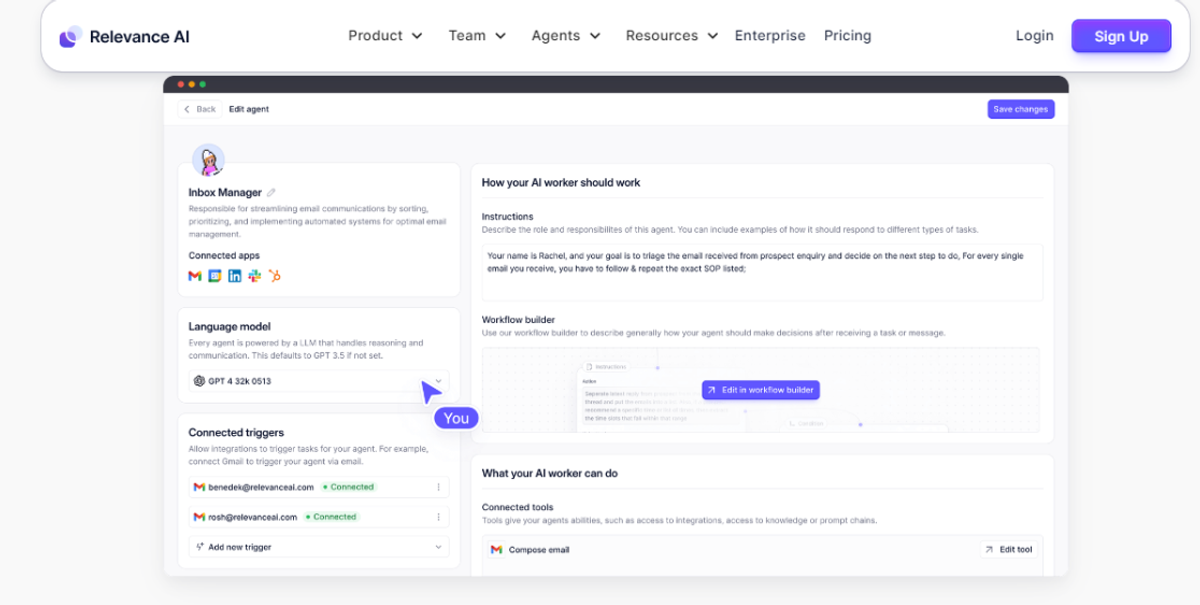
The platform treats AI models as first-class citizens.
You can chain together multiple AI models.
You can pass outputs from one to another.
You can build sophisticated AI agents without wrestling with API integrations.
For teams focused on AI automation, this native support eliminates countless headaches.
Relevance includes built-in tools for prompt engineering.
You can test and refine AI prompts directly within your workflows.
This integrated approach beats switching between your automation platform and separate AI testing tools.
The platform also handles AI-specific challenges well.
Managing token limits, implementing retry logic for failed AI calls, and processing structured outputs from language models.
These features might seem minor until you've spent hours debugging why your AI workflow keeps failing.
Real-Life Success Story: Verisoul
Verisoul, a 2-person growth team, used Relevance AI to scale their team - making a 2-person team operate like a 20-person team.
They built a "Presidential Briefing" workflow that automatically triggers from the Austin Inno newsletter through Zapier.
In just 5 minutes of review, the team gets the day's most relevant news, 5-10 new leads with custom outreach messages, and relevant articles for comments.
AI agent teams kept them better prepared for meetings and gave better sense of solution PMF.
Source: Relevance AI Case Study - Verisoul
Where Relevance Needs to Mature
As the newest platform, Relevance has the smallest integration ecosystem.
If your workflow requires connecting many traditional business tools, you'll find gaps in available integrations.
The learning resources and community are still developing.
While the documentation covers basics, you won't find the wealth of tutorials, templates, and community solutions available for more established platforms.
Pricing information can be less transparent.
The platform's focus on AI workflows means it might be overkill if you're primarily automating traditional app-to-app connections without AI involvement.
Making Your Decision: Which Platform Wins?
There's no universal winner - the best platform depends entirely on your situation.
Choose Zapier if you need the simplest possible experience, want maximum app compatibility, and can afford the premium pricing.
It's ideal for non-technical teams automating straightforward workflows with popular business tools.
Choose Make if you're building moderately complex workflows, need strong data transformation capabilities, and want better value than Zapier.
It suits teams willing to invest time learning a more powerful tool in exchange for greater flexibility and lower costs.
Choose n8n if you have technical resources, need complete control over your data, or require deep customization.
It's perfect for development teams, companies with strict data requirements, or high-volume automations where hosting costs beat subscription fees.
Choose Relevance if your primary focus is AI-powered workflows and you need native AI model integration.
It's built for teams where AI isn't just a feature but the core of what they're automating.
Detailed Comparison Summary
Pricing Comparison
Zapier:
- Free: 100 tasks/month
- Starter: $19.99/month (750 tasks)
- Professional: Quickly escalates to hundreds of dollars
- Expensive for high-volume usage
Make:
- Free: 1,000 operations/month
- Core: Starting at $9/month
- Pro: More cost-effective than Zapier
- Better value per dollar
n8n:
- Cloud Free: Generous free tier
- Cloud Paid: Affordable pricing
- Self-hosted: Only server costs
- Most economical for high-volume
Relevance:
- Pricing less transparent
- Focused on AI workflows
- Contact for enterprise pricing
Integration Comparison
Zapier: 7,000+ apps (Maximum coverage)
Make: 1,500+ apps (Strong coverage)
n8n: Growing library + custom nodes (Developer-friendly)
Relevance: Smaller ecosystem, AI-focused (Limited but specialized)
Technical Complexity
Zapier: Easiest - no coding required
Make: Moderate - visual but requires learning
n8n: Advanced - coding knowledge helpful
Relevance: Moderate - AI-focused learning curve
Your Next Steps
Start by honestly assessing your technical capabilities and primary use cases.
If you're unsure, I recommend this approach:
Step 1: Begin with Zapier's free tier for simple automations.
It helps you understand workflow automation concepts without overwhelming complexity.
Step 2: If you find yourself constantly hitting Zapier's limitations or cost barriers, try Make's free tier.
The visual builder will feel familiar but offer more power.
Step 3: For developers or teams with strong technical resources, experiment with n8n's cloud version before committing to self-hosting.
Step 4: If you're specifically building AI workflows, test Relevance alongside one of the traditional platforms.
See if its AI-native approach justifies learning a new tool.
Remember, you're not locked into a single platform forever.
Many successful teams use multiple tools.
Zapier for quick, simple automations and n8n or Make for complex workflows that justify the learning investment.
Final Thoughts
The automation revolution isn't coming - it's here.
The question isn't whether to automate.
The question is which tool will help you work smarter, not harder.
Choose the platform that matches where you are today.
Not where you think you should be.
Start automating those repetitive tasks that are stealing your time.
10 million Zaps run every month and users have reported a 98% productivity boost.
These statistics prove that automation makes a real difference.
What workflow will you automate first?
Action Items:
List your daily tasks that are repetitive
Choose one automation platform based on your needs
Start with one simple workflow as a test
Gradually add more complex automations as you learn
Measure results - time saved, errors reduced, productivity gained
The decision is now yours - take action or let competitors get ahead by adopting automation.
Additional Resources: