
Quick Answer
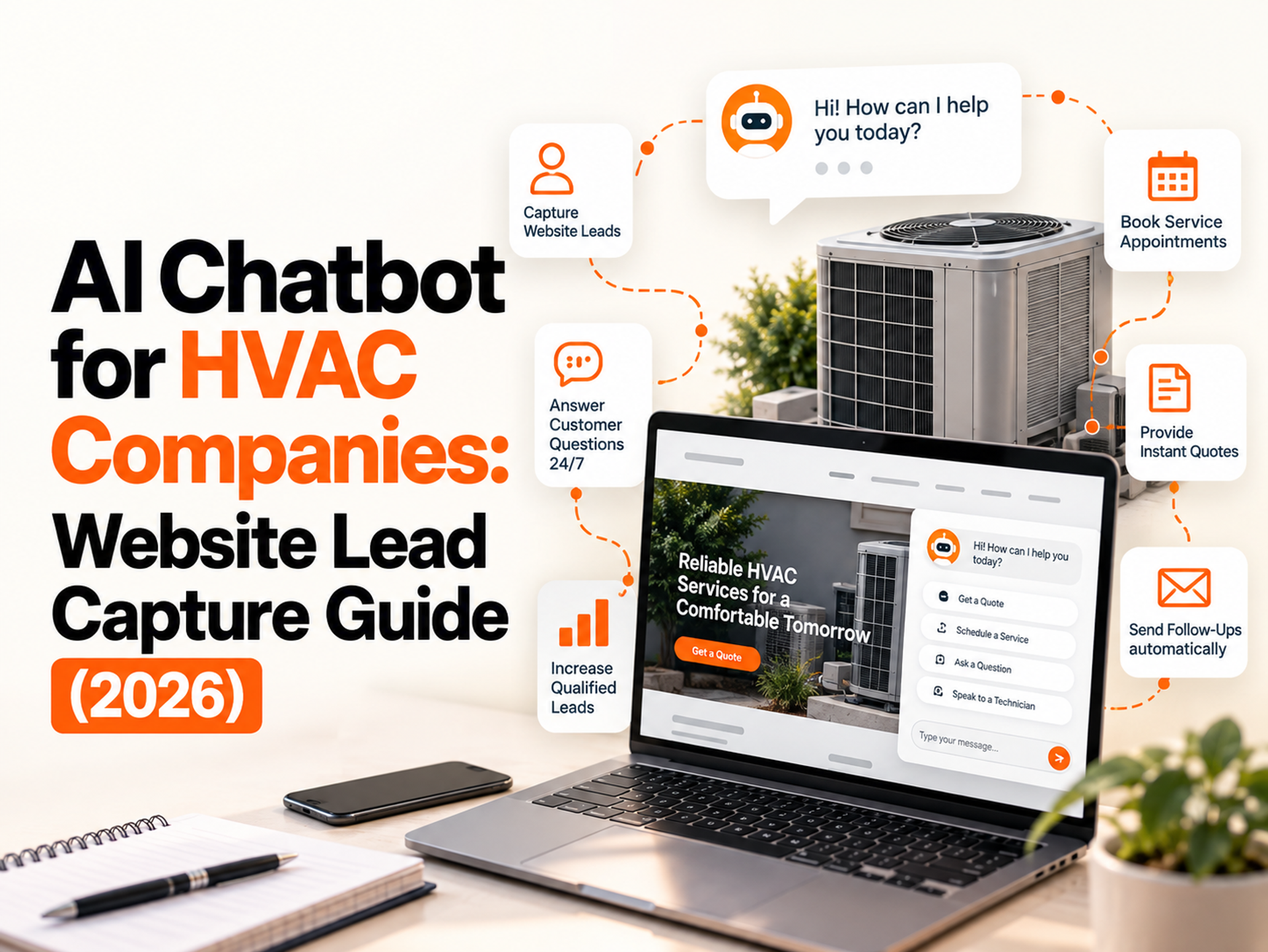
An AI chatbot for an HVAC website gives visitors a text-based way to ask questions, confirm the service area, describe an issue, request a callback, or book a service. It is useful for web visitors who prefer typing or who are researching outside office hours. It does not replace phone answering: urgent HVAC enquiries usually need a call, while a chatbot handles the website channel.
For many contractors, the practical setup is a chatbot for web enquiries, an AI voice agent for phone calls, and a CRM or follow-up workflow that keeps both sources in one lead pipeline.
If the business is closed, the phone is not answered, or the visitor is not ready to call, a chatbot creates another path to contact. It is not a complete lead-generation system, but it can make existing website traffic more useful when connected to the office workflow.
Table of Contents
What an HVAC Website Chatbot Actually Does
Where a Chatbot Adds Value for HVAC
Where a Chatbot Falls Short
What to Configure Before Launch
The HVAC Chatbot Conversation Flow
Choosing the Right Chatbot Platform for HVAC
How the Chatbot Connects to the Lead Pipeline
How FatCamel AI’s Chatbot Fits the HVAC Automation Stack
FAQ
What an HVAC Website Chatbot Actually Does
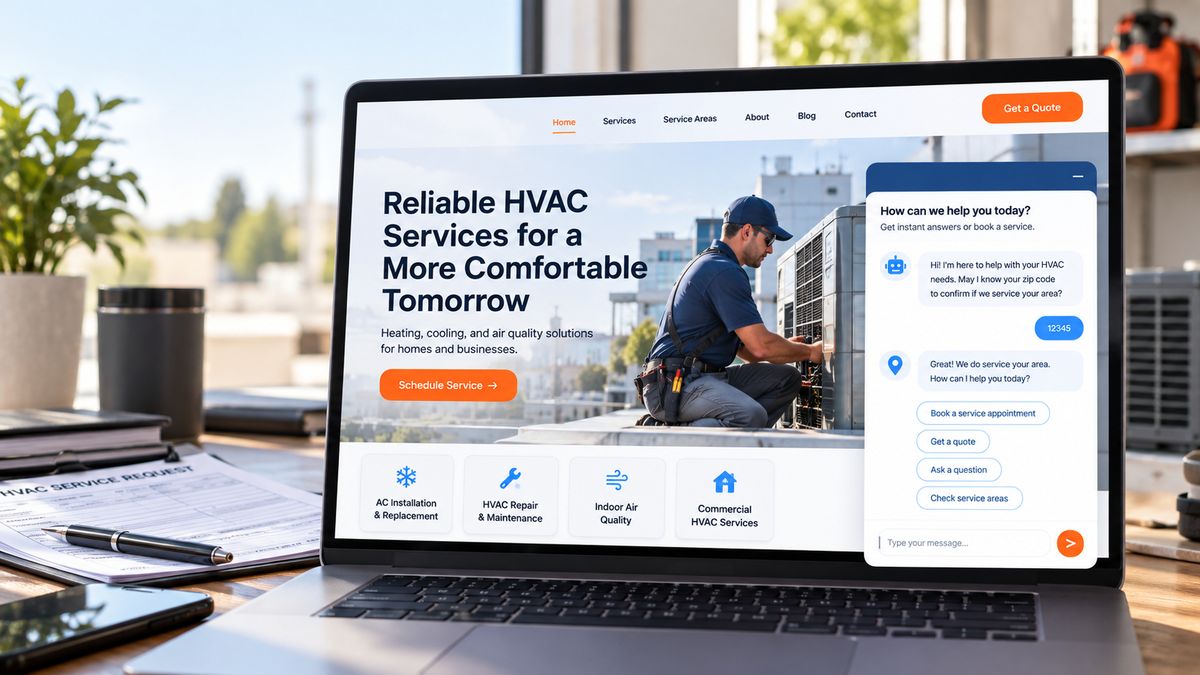
A website chatbot responds to visitor messages. On an HVAC website, it can ask what help is needed, confirm the service area, answer common questions, and guide the visitor toward booking, a callback, or human assistance.
A well-configured HVAC chatbot can help with:
- Service-area, availability, and approved pricing questions
- Basic issue and system-type qualification
- Booking links and callback requests
- Contact capture from visitors who are not ready to call
- Common questions that interrupt dispatchers and CSRs
A chatbot does not answer phone calls. That distinction matters in HVAC because urgent service requests or safety concerns may require immediate phone assistance rather than a website conversation.
Where a Chatbot Adds Value for HVAC
After-hours website enquiries
Visitors researching tune-ups, comparing contractors, or asking about pricing may visit the website outside normal office hours. A chatbot can confirm the service area and offer a booking or callback path instead of leaving the visitor with no next step.
Paid-search landing pages
On a Google Ads or other lead-focused landing page, a chatbot gives visitors an alternative way to ask questions or share their contact details.
FAQ support for dispatchers and CSRs
Questions about ZIP codes, brands, weekend appointments, and diagnostic fees can consume staff time across a busy day. Approved chatbot answers let staff focus on scheduling, emergencies, and customers who need judgment.
Bilingual first contact
For multilingual markets, an English-and-Spanish chatbot can offer a more accessible first contact. Review translated answers, pricing language, emergency instructions, and escalation paths before launch.
Where a Chatbot Falls Short
The main limitation is channel coverage. A chatbot only helps visitors who are on the website and willing to type; it cannot capture phone calls, voicemails, or SMS replies.
A chatbot is therefore better viewed as one part of the inbound system rather than a replacement for phone answering. An AI voice agent can cover phone calls, while the chatbot handles web visitors. Both can feed a shared CRM and follow-up process when the systems are connected.
The starting point depends on the current gap: missed calls may justify voice answering, website traffic with few enquiries may justify a chatbot, and inconsistent follow-up may require the CRM workflow first.
Read more about AI receptionists versus chatbots for HVAC companies.
What to Configure Before Launch
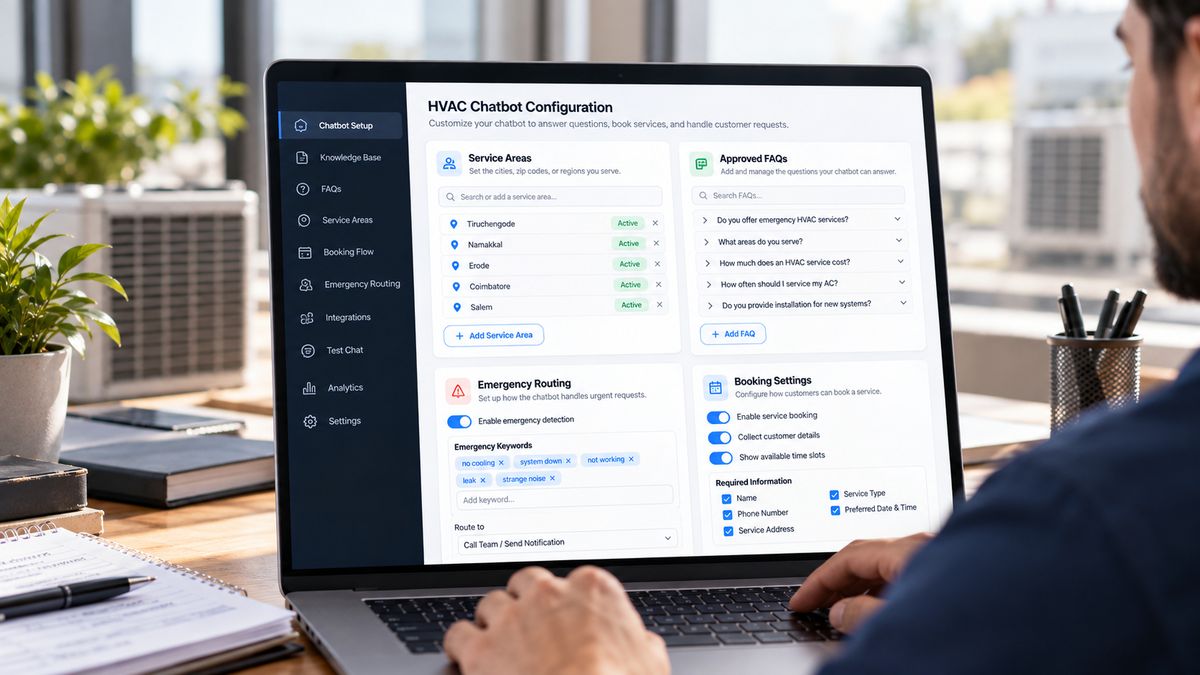
The useful work happens before launch, when the business defines what the chatbot may answer, what it must escalate, and where each lead should go.
Service area
Confirm the visitor’s service address early in the conversation. An out-of-area visitor should not complete a booking only to discover later that the company cannot attend. Store service areas, ZIP codes, exclusions, and multi-location rules in the chatbot knowledge base.
HVAC-specific FAQs
Prepare approved answers for common questions about diagnostic fees, brands, emergency availability, hours, financing, maintenance agreements, and pricing ranges. Do not let the chatbot invent a precise quote when price depends on equipment, access, parts, or a site visit.
Qualification questions
Collect the issue, system type, equipment age if known, service address, urgency, name, and preferred contact details. The goal is a usable lead record, not a long interview.
Emergency routing
Create an explicit emergency branch. If a visitor mentions a gas smell, no heat in dangerous cold, a safety concern, or another urgent condition, the chatbot should surface the emergency number and clear instructions. It should not attempt to diagnose or manage a safety-sensitive situation through text.
Booking integration
The chatbot should present the booking link already used by the business or pass the request to the CRM. Confirm how the workflow connects with the current FSM or CRM, whether through native features, an integration, or another supported connection.
The HVAC Chatbot Conversation Flow
A practical residential HVAC flow can remain short and specific:
Opening: “Hi, I’m [Company Name]’s virtual assistant. Are you looking to schedule service or ask a question?”
Issue branch: If the visitor wants service, ask what is happening, what type of system is involved, and how old it is if known.
Urgency check: Ask whether there is no heat, no cooling during extreme temperatures, a gas smell, or another safety concern. If yes, display the emergency phone number immediately.
Service-area check: Ask for the service address and confirm that it is covered.
Booking path: Present the approved booking link or collect the preferred callback details for the dispatcher.
Fallback: Offer a phone call or callback if the visitor would rather speak with a person.
This flow gathers useful information without becoming a lengthy intake form. Questions should reflect the company’s services, booking rules, emergency policy, and local requirements.
Choosing the Right Chatbot Platform for HVAC
HVAC contractors can evaluate chatbot platforms based on their workflow, integration needs, and level of customization. General-purpose chatbot platforms can offer flexible configuration and integrations, while home-service-focused tools may provide workflows closer to service-area checks, issue qualification, booking, and callbacks. In either case, contractors should review the knowledge base, escalation rules, integrations, and data ownership before choosing a platform.
The platform category matters less than the workflow around it. Check whether the chatbot can pass lead data into the FSM or CRM, trigger follow-up, stop a sequence when someone responds, and route emergencies to a person. If the tool creates a separate inbox, staff may have to monitor another system every day.
How the Chatbot Connects to the Lead Pipeline
A chatbot can capture a name and phone number without creating a useful sales process. Visitors who ask questions, check a service area, or request a callback may not book immediately. Their information needs to enter the same follow-up process as leads from phone calls, forms, and missed calls.
When connected to the CRM, the chatbot can pass lead information into the appropriate workflow, where the team can assign the lead, start follow-up, and record the source, booking status, and human handoff request.
The connection may be native, API-based, or built through Make or Zapier. Confirm what data passes, how duplicates are handled, and who owns the next step.
Read the related guide on building an HVAC lead-generation system that works 24/7.
How FatCamel AI’s Chatbot Fits the HVAC Automation Stack
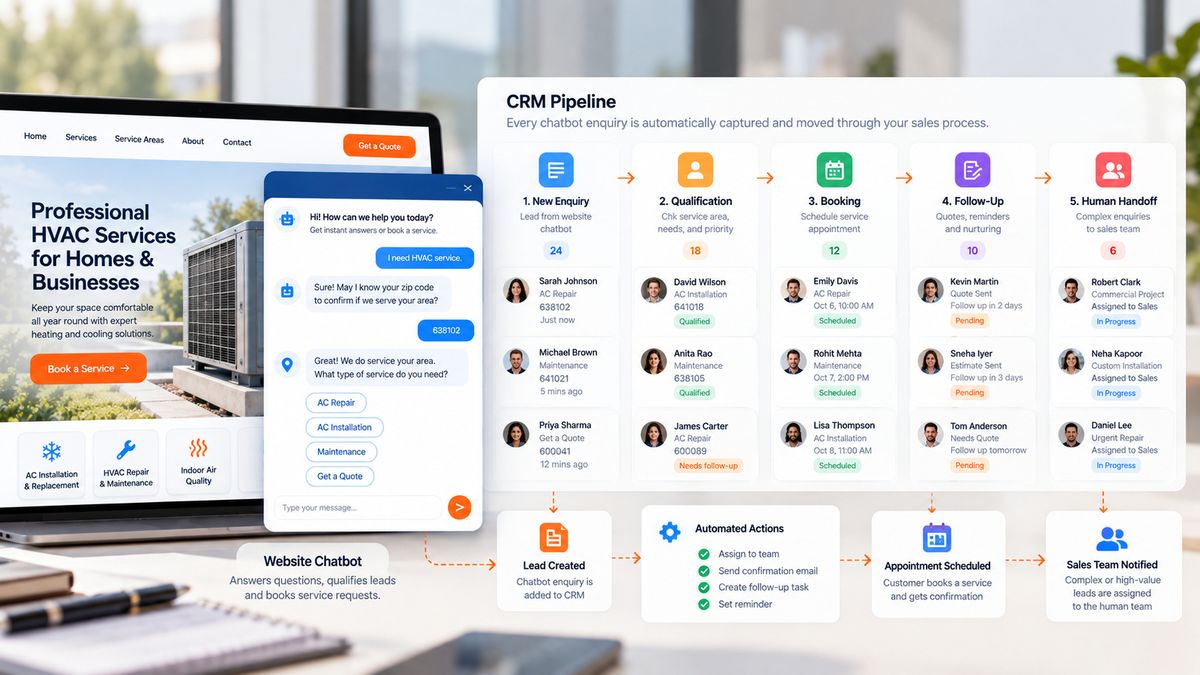
FatCamel AI can position its chatbot as one layer within a broader HVAC automation workflow rather than as a standalone website widget.
The chatbot can be configured around the company’s service area, approved answers, issue-qualification questions, emergency routing, and booking path. Its leads can be connected to the CRM and follow-up workflow so a web enquiry does not remain in a separate inbox while phone leads receive different treatment.
FatCamel’s Lead Activation Engine and CRM Automation can support confirmation, routing, follow-up for visitors who do not book, and reactivation of older opportunities, depending on the connected workflow.
Implementation should begin with the current tools and the problem to solve. The workflow can then be mapped, connected, tested, launched, and refined. Explore FatCamel’s Chatbot service or FatCamel’s CRM Automation service.
FAQ
1. What is the difference between an HVAC chatbot and an AI voice agent?
A chatbot handles text conversations on a website or messaging channel. An AI voice agent handles phone calls. HVAC businesses often need both because web visitors and urgent callers behave differently.
2.How should an HVAC chatbot handle emergencies?
It should identify safety-sensitive language and route the visitor to the emergency phone number or the company’s approved emergency instructions. It should not attempt to diagnose or manage a genuine emergency through text.
3. Can an HVAC chatbot connect to an FSM or CRM?
That depends on the platform and available integration options. Some tools connect directly, while others may require an API, webhook, integration platform, or manual transfer.
4. How does FatCamel AI’s chatbot fit into the process?
FatCamel AI’s chatbot can support HVAC web lead capture and, where connected systems support it, work alongside CRM, follow-up, reactivation, and broader workflow automation.
References
https://hyperleap.ai/blog/ai-chatbot-hvac-companies
https://acuteseoai.com/ai-chatbot/how-hvac-companies-use-ai-chatbot-to-capture-leads/
https://www.cleansavannah.com/post/best-ai-chatbot-software-hvac-websites-2026
https://foxxr.com/blog/ai-chatbot-marketing-guide/
https://www.callrail.com/blog/missed-calls-stats
https://www.artifactaisolutions.com/blog/hvac-revenue-lost-from-missed-calls