
You built your renovation business on skilled hands, hard-won experience, and word of mouth. But the contractors pulling ahead in 2026 aren't necessarily the most skilled people on the job site. They're the most organized ones. The ones whose leads never go cold, whose quotes get followed up automatically, and whose clients feel taken care of before the first nail is driven.
The difference is not more staff or longer hours. It's AI tools for contractors that handle the business side of renovation, so the humans can focus on the work.
This guide covers the nine tools that are making the biggest practical difference for home renovation contractors right now, including who each tool is best for, what it actually does, and where it fits in a real renovation business workflow.
Table of Contents
GoHighLevel: The All-in-One CRM and Sales Engine
n8n: The Automation Backbone for Advanced Workflows
Make: Visual Workflow Automation Without the Complexity
Zapier: The Fastest On-Ramp to Contractor Automation
Airtable: Your Project and Lead Database, Automated
Togal.AI: AI-Powered Estimating and Takeoffs
Fireflies.ai: Never Lose a Client Conversation Again
Dzinly: Sell the Renovation Before It Starts
fatcamel.ai: Intelligent Automation Built for Contractors
1. GoHighLevel: The All-in-One CRM and Sales Engine
Best for: Renovation contractors who want lead tracking, follow-up, and client communication managed in a single platform.
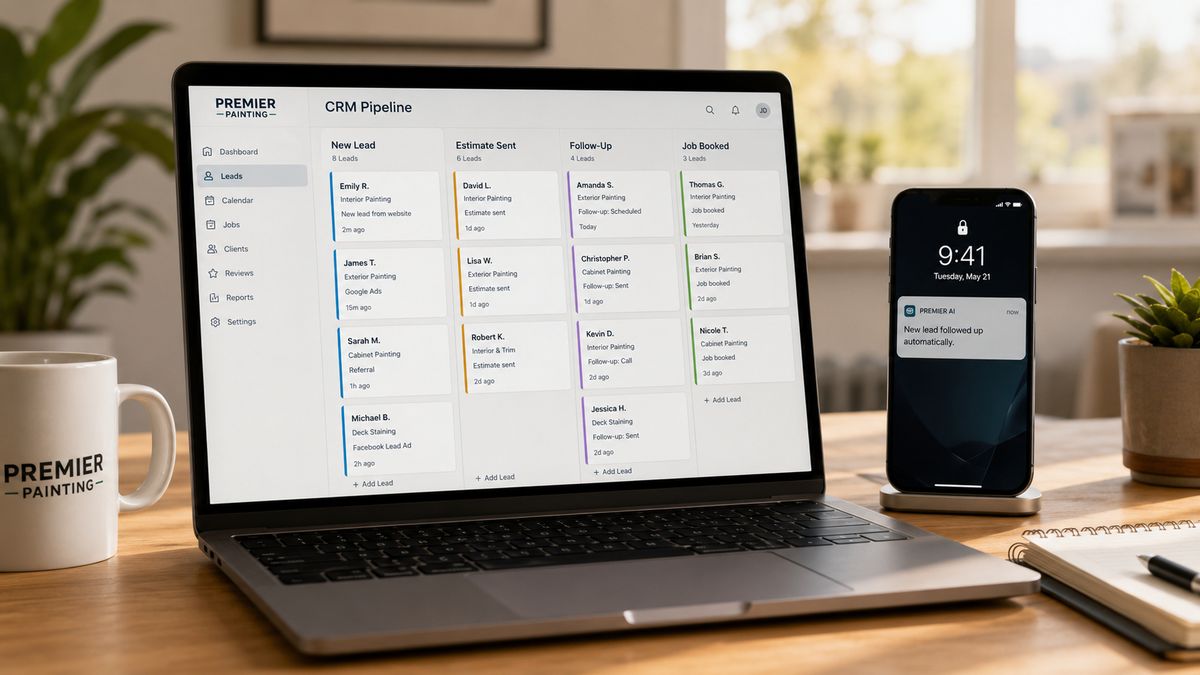
What it is: GoHighLevel is a CRM and marketing automation platform built for service businesses. For renovation contractors, it functions as the central nervous system of the sales operation, handling everything from the first inbound inquiry to the final review request after job completion.
What it does for contractors:
Most renovation businesses lose work not because their quotes are bad but because their follow-up is inconsistent. A $40,000 kitchen remodel quote sent on a Friday and never followed up on by Wednesday is a job that often goes to whoever called back first. GoHighLevel closes that gap automatically.
When a lead comes in through your website, a Facebook ad, or a missed call, GoHighLevel captures it instantly and kicks off a follow-up sequence without anyone touching a keyboard. The system sends a text within minutes, routes the lead through your pipeline, and continues following up on a schedule you set until the prospect responds or opts out.
For renovation businesses specifically, GoHighLevel handles:
Lead capture and pipeline management. Every inquiry lands in a visual pipeline where you can see exactly where each prospect is in the process, from first contact through estimate sent to job booked.
Automated bid follow-up. One of the highest-ROI automations for contractors. The system follows up on outstanding quotes automatically, recovering jobs that would otherwise go cold.
Review generation. After a job is completed, GoHighLevel sends a review request automatically, building your Google reputation without you having to remember to ask.
Missed call text-back. When you can't answer, the system texts the caller within seconds to acknowledge them and keep the conversation alive.
Pricing: Starts at around $97/month for a single location. The consolidation alone, replacing separate SMS, email, calendar, and CRM tools, typically saves contractors $150 to $400 per month in subscription costs.
Limitation worth knowing: GoHighLevel is a marketing and sales CRM, not a job management platform. It doesn't replace tools like Buildertrend or ServiceTitan for project scheduling and field management. Think of it as the front end of your business, from lead to signed contract.
Read More: How to Build a Commercial Lead Generation System for Your Painting Business
2. n8n: The Automation Backbone for Advanced Workflows
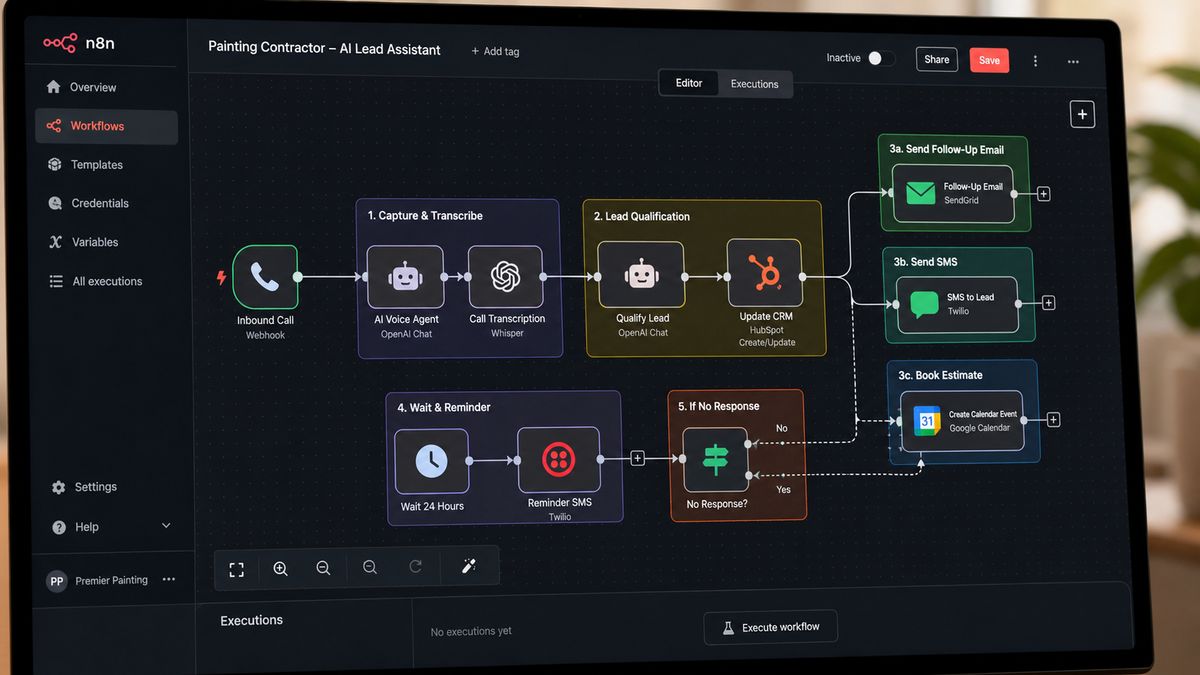
Best for: Renovation contractors or their operations teams who want deep, custom automation connecting multiple tools without paying per-task fees.
What it is: n8n is an open-source workflow automation platform with a node-based visual interface. Unlike Zapier or Make, n8n can be self-hosted, which means no per-execution pricing and full control over your data. Its January 2026 release added native LangChain integration and approximately 70 AI-specific nodes, making it one of the most capable platforms for building AI-powered business workflows.
What it does for contractors:
Think of n8n as the plumbing behind your renovation business systems. On its own, it's invisible. Connected properly, it's the reason everything works together without manual intervention.
A typical renovation contractor workflow built in n8n might look like this: A new lead fills out a form on your website. n8n captures it, checks the location against your service area, scores the lead based on job type and budget, creates a contact record in your CRM, sends an acknowledgment text to the prospect, and notifies the right team member, all within seconds and without a single human step.
More advanced n8n workflows for renovation businesses include:
Automated project status updates. When a job stage changes in your project management tool, n8n triggers a client update message automatically.
Supplier order tracking. When a material order is placed, n8n monitors delivery status and alerts the site manager when it's confirmed.
AI-assisted lead qualification. Using its LangChain nodes, n8n can run an AI classification on inbound inquiries and route them based on the analysis.
Pricing: Free for self-hosted. Cloud plans start at around $20/month. The absence of per-task pricing makes it exceptionally cost-effective at scale compared to Zapier.
Limitation worth knowing: n8n has a steeper learning curve than Zapier or Make. It's most powerful in the hands of someone comfortable with logic and workflow design, either an operations-minded owner or a technical team member. If you want something you can set up in an afternoon without technical experience, start with Zapier instead.
Read More: How to Reactivate Dead Painting Leads Using AI Automation in 2026 (Full System Breakdown)
3. Make: Visual Workflow Automation Without the Complexity
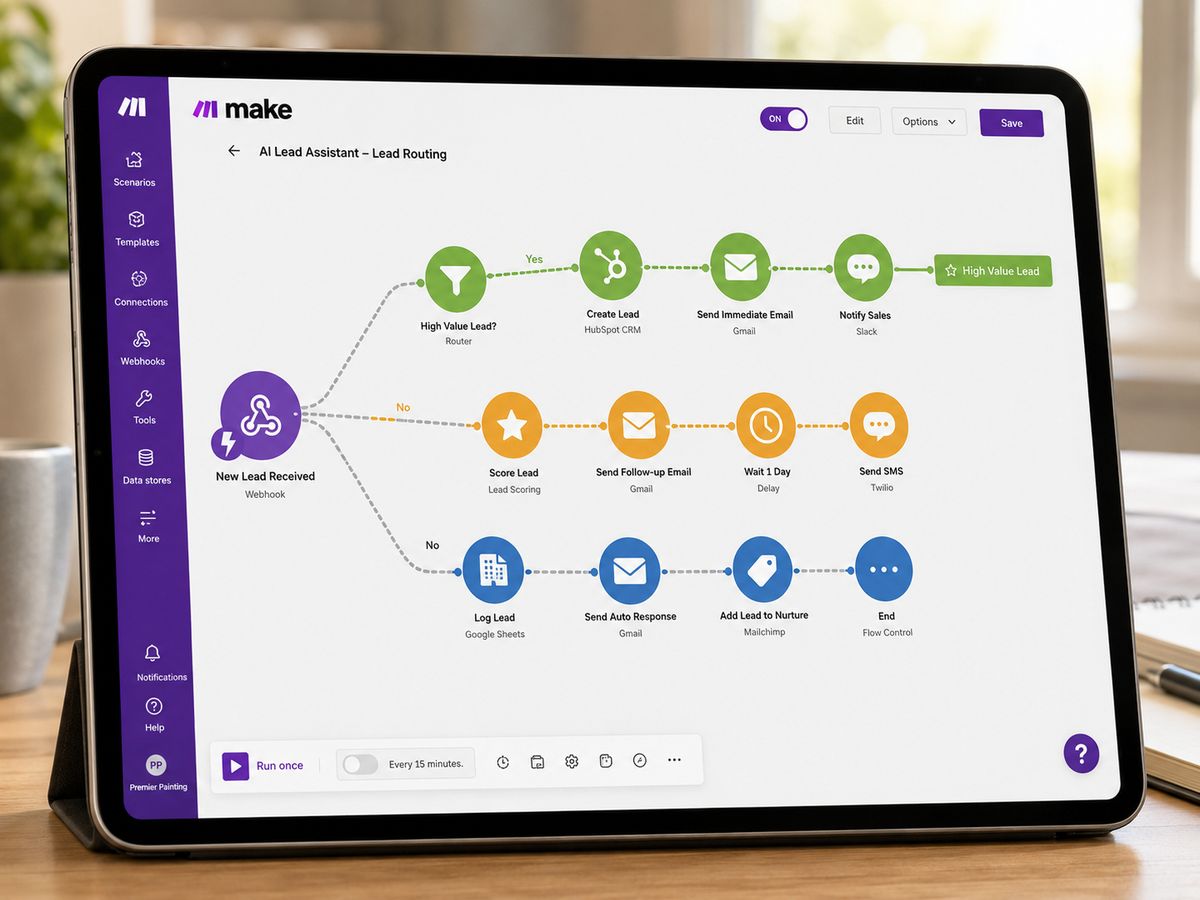
Best for: Renovation contractors who need more automation power than Zapier offers but aren't ready to manage the technical complexity of n8n.
What it is: Make (formerly Integromat) is a visual workflow automation platform that sits squarely between Zapier and n8n on the complexity spectrum. Its scenario builder supports branching logic, routers, iterators, and multi-step workflows that go well beyond what Zapier's linear model can handle, while remaining visual and accessible without deep technical knowledge.
What it does for contractors:
Make is a strong fit for renovation businesses that have outgrown simple "if this, then that" automations and need workflows that branch based on conditions.
For example: A lead comes in through your website form. If the job is in your primary service area and the budget is over $15,000, it gets routed to your senior estimator and flagged as high priority. If the budget is under $5,000, it receives a different follow-up sequence. If the location is outside your service area, it gets a polite decline with a referral. All of this happens in a single Make scenario with no manual sorting required.
Practical Make automations for renovation contractors:
Proposal tracking. When a proposal is sent from your quoting tool, Make starts a timer. If no response arrives within three days, it triggers a follow-up sequence automatically.
Subcontractor coordination. When a project phase is confirmed in your calendar, Make sends schedule confirmations to relevant subcontractors and updates the project record.
Client communication sequences. Make can orchestrate multi-touch communication campaigns tied to project milestones, keeping clients informed without your team manually sending updates.
Pricing: Free tier available. Paid plans start at around $9/month for core features, scaling based on operations volume. Significantly more cost-effective than Zapier at equivalent complexity levels.
Limitation worth knowing: Make's learning curve is steeper than Zapier. The visual builder is intuitive once familiar, but the initial setup of complex scenarios takes time. Budget for a learning period or consider using a Make-certified consultant to build your core workflows.
4. Zapier: The Fastest On-Ramp to Contractor Automation
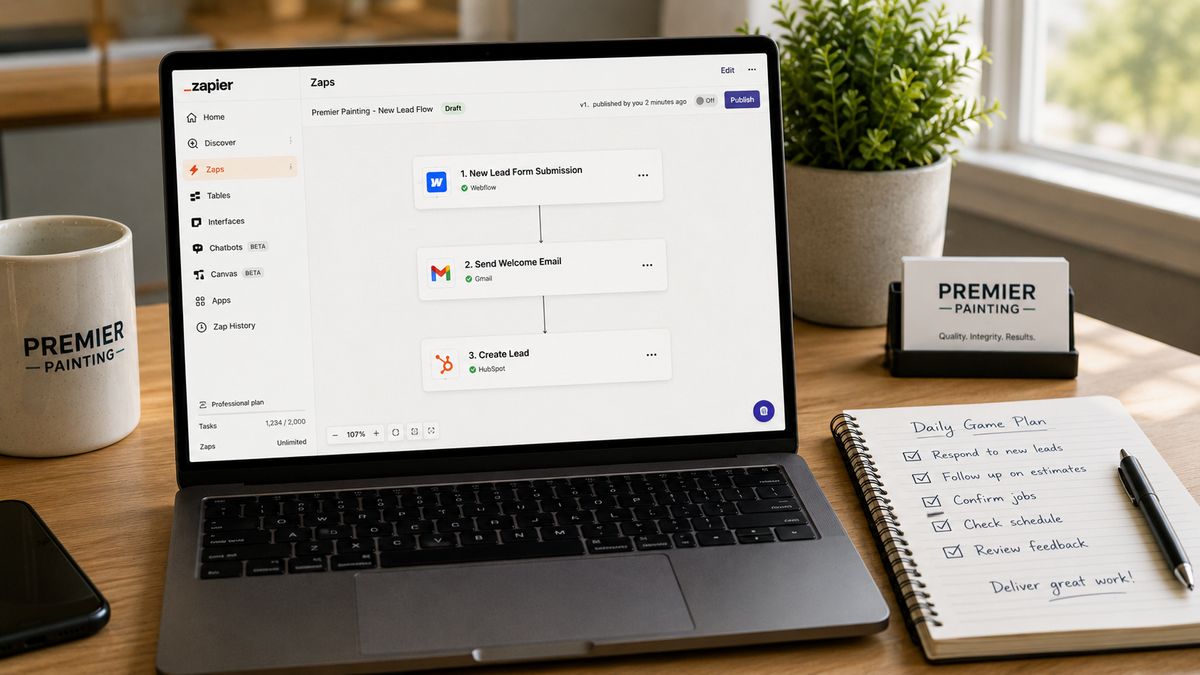
Best for: Renovation contractors who want to automate basic workflows quickly with zero technical setup.
What it is: Zapier is the most widely used workflow automation platform in the world, connecting over 7,000 applications through a simple trigger-and-action model. For renovation businesses new to construction automation tools, Zapier is typically the right first step.
What it does for contractors:
Zapier's strength is speed and breadth. If two tools you already use exist in the software world, Zapier almost certainly connects them. The setup is fast, the interface requires no technical knowledge, and basic automations can be running within an afternoon.
For renovation contractors, the most valuable Zapier automations are typically:
Lead routing. A new form submission on your website automatically creates a contact in your CRM, sends you a Slack notification, and triggers a welcome email to the prospect.
Calendar sync. When a new estimate is booked in Calendly or Acuity, Zapier creates a corresponding entry in Google Calendar and sends a confirmation text to the client.
Invoice follow-up. When an invoice in QuickBooks or FreshBooks remains unpaid past a set number of days, Zapier triggers a polite follow-up email sequence.
Document delivery. When a contract is signed in DocuSign, Zapier sends a welcome packet to the client and notifies the project manager automatically.
Pricing: Free tier available for basic use. Paid plans start at $19.99/month. Zapier's per-task pricing model means costs can scale quickly for high-volume workflows, which is worth factoring into the comparison with Make or n8n.
Limitation worth knowing: Zapier is built for linear, relatively simple workflows. Once you need conditional logic, branching paths, or loops, you'll hit the ceiling of what Zapier handles elegantly. For straightforward automations, it remains the easiest and fastest option available.
Read More: Best CRM for Painting Contractors: 7 Tools to Boost Client Satisfaction In 2026
5. Airtable: Your Project and Lead Database, Automated
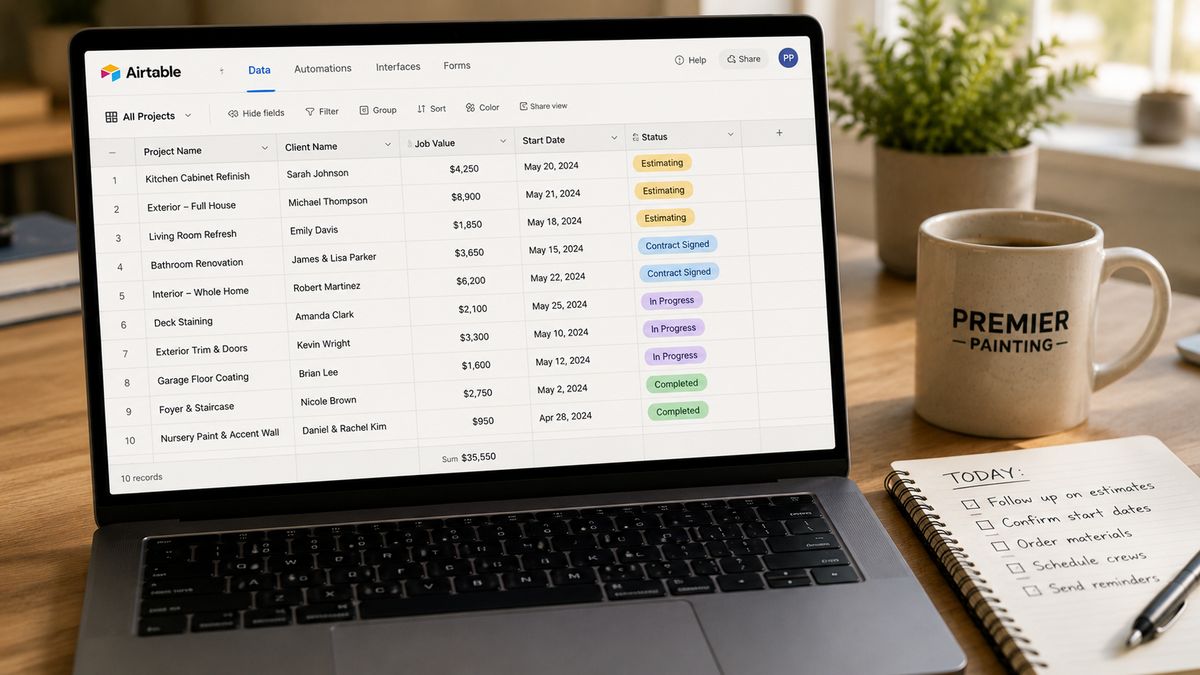
Best for: Renovation contractors who want a flexible, visual database to manage projects, leads, and operations, with built-in automation for anything that stays within the same system.
What it is: Airtable is a cloud-based database platform that looks and feels like a spreadsheet but functions like a relational database with built-in automation capabilities. For renovation businesses, it serves as a single organized home for project data, lead information, subcontractor contacts, material specs, and timeline tracking.
What it does for contractors:
Most renovation contractors manage their business across a patchwork of spreadsheets, email threads, and text messages. Airtable consolidates this into a single, structured, searchable system that the whole team can access and update in real time.
A well-configured Airtable base for a renovation business might include:
A lead tracker that captures every inquiry, records the source, tracks communication history, and flags leads that have gone cold without follow-up.
A project database where each job has its own record, linked to the client contact, the subcontractors assigned, the materials ordered, the timeline milestones, and the payment status.
A subcontractor roster with availability, trade specialties, contact details, and a record of past projects worked together.
A materials library tracking supplier contacts, lead times, and cost benchmarks for commonly used products.
Airtable's built-in automations handle tasks that live entirely within the platform: sending a notification when a project moves to a new stage, updating a linked record when a milestone is completed, or generating a daily summary of open leads. When you need Airtable to talk to external tools like your CRM, email system, or invoicing software, you connect it through Zapier, Make, or n8n.
Pricing: Free tier available for individuals. Team plans start at $20 per user per month. The free tier is genuinely useful for smaller renovation businesses getting started.
Limitation worth knowing: Airtable is a database and light automation tool, not a project management platform in the full sense. For field-level job management, scheduling crews on site, and tracking hours, dedicated construction management software still handles those layers better.
6. Togal.AI: AI-Powered Estimating and Takeoffs
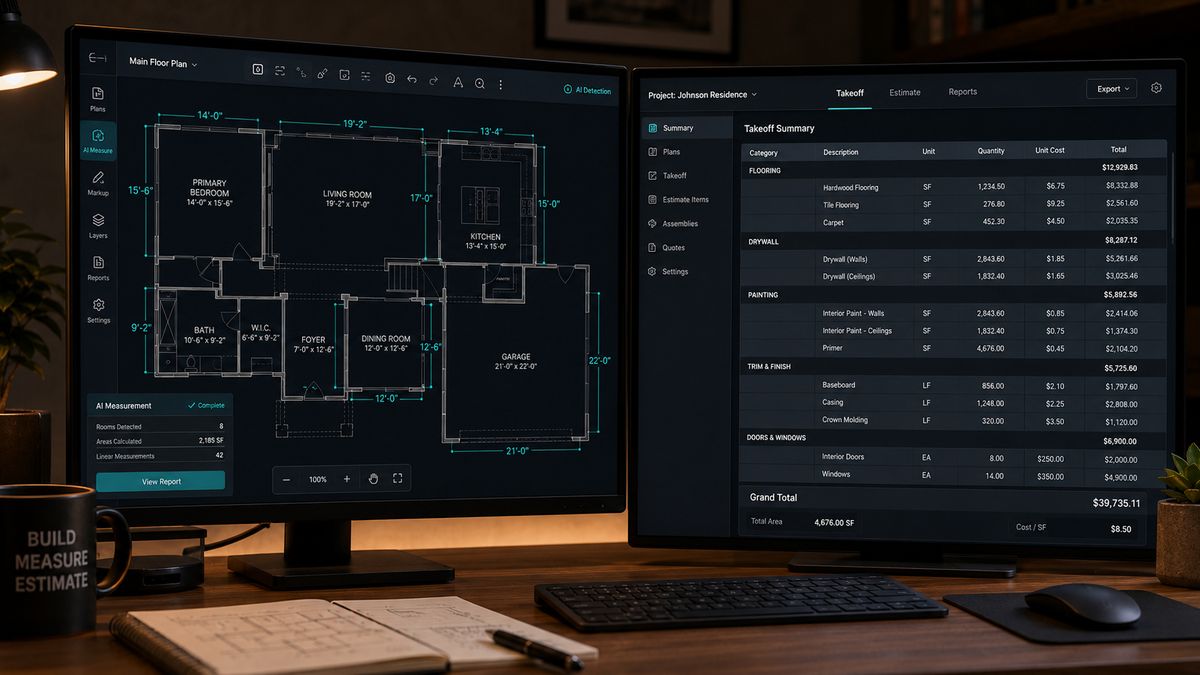
Best for: Renovation contractors who spend significant time on manual plan measurement and quantity takeoffs.
What it is: Togal.AI is a machine learning platform built specifically for estimating. It analyzes construction plans and performs quantity takeoffs automatically, identifying room types, calculating surface areas, and generating material quantities in a fraction of the time the manual process takes.
What it does for contractors:
Estimating is one of the most time-consuming parts of running a renovation business, and errors in estimates directly erode margin. Togal.AI addresses both problems by automating the measurement and calculation work that underpins every bid.
Upload a set of construction plans and Togal.AI reads them intelligently. It identifies spaces, measures areas, flags relevant dimensions, and produces a structured takeoff that feeds directly into your estimating workflow. What used to take hours of manual plan reading and spreadsheet work can be completed in minutes.
For renovation contractors bidding on multiple projects simultaneously, this has a compounding effect. Faster takeoffs mean more bids submitted in the same timeframe, more consistent numbers across estimates, and fewer margin-eroding errors caused by rushed manual measurement.
Togal.AI also standardizes the estimating process across your team. Whether your most experienced estimator or a newer hire is running the takeoff, the AI produces consistent output based on the same underlying logic.
Pricing: Subscription-based, designed for professional estimating workflows. Contact Togal.AI directly for current pricing tiers, as they vary based on plan volume and team size.
Limitation worth knowing: Togal.AI is a specialized estimating tool, not a full business management platform. It fits best as part of a broader ai software for renovation business stack, paired with a CRM and project management tool to cover the full workflow.
7. Fireflies.ai: Never Lose a Client Conversation Again
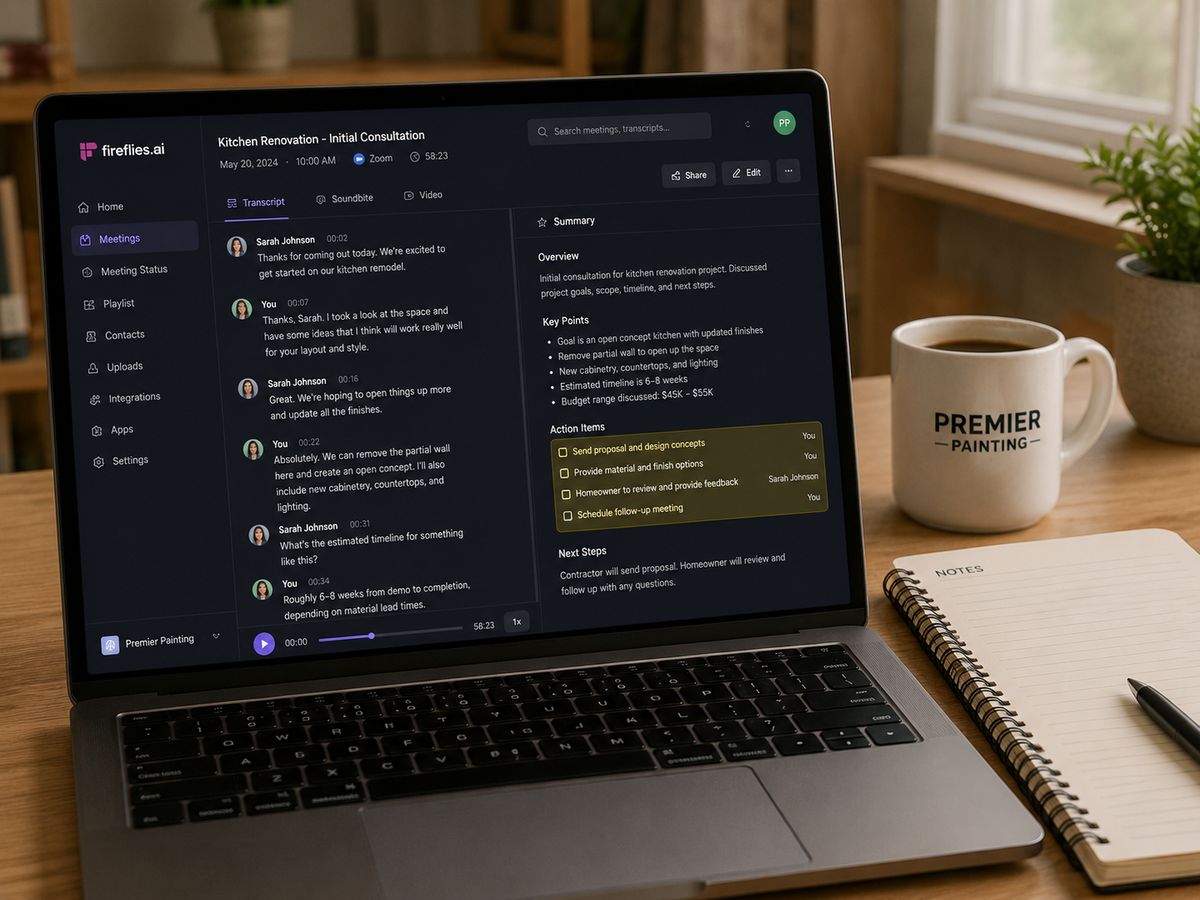
Best for: Renovation contractors who have frequent client calls, site walkthroughs, and subcontractor meetings and struggle to capture everything discussed.
What it is: Fireflies.ai is an AI meeting assistant that joins your Zoom, Google Meet, or Microsoft Teams calls automatically, records the conversation, transcribes it in real time, and generates a summary with key takeaways and action items. It also works for in-person meetings through its mobile app.
What it does for contractors:
In renovation, the gap between what was discussed on a client call and what actually gets executed is a constant source of costly miscommunication. A client mentions during a walkthrough that they want the trim painted to match the ceiling rather than the walls. That detail gets lost in a handwritten note or a fading memory. Two weeks later, the crew paints it wrong and the rework costs an afternoon and a strained client relationship.
Fireflies close that gap. Every client call is recorded and summarized automatically. The action items from a subcontractor meeting are pulled out and ready to review before the call ends. The specific requests a client made in Tuesday's walkthrough are searchable in Thursday's planning session.
For renovation contractors, the most practical Fireflies use cases are:
Client discovery and scoping calls. A complete, searchable record of everything the client said they wanted, including details that are easy to miss in the moment.
Estimate review calls. A record of client questions, objections, and agreed-upon changes that can be referenced when revisions are made.
Subcontractor briefings. Confirmation of what was communicated to each trade so there's no ambiguity about scope or timing.
Internal project handoffs. When a project moves from sales to operations, the Fireflies summary gives the project manager a complete picture of client expectations without needing a lengthy debrief.
Pricing: Free tier handles basic recording and transcription. Pro plans start at around $10 per user per month and include advanced search, CRM integrations, and team collaboration features.
Limitation worth knowing: Fireflies require participants to be on a video or audio call to capture a meeting. It doesn't replace structured documentation for complex projects but is an excellent complement to your existing tools.
8. Dzinly: Sell the Renovation Before It Starts
Best for: Renovation contractors who want to help clients visualize exterior changes before work begins, speeding up decisions and reducing revision-driven delays.
What it is: Dzinly is an AI-powered visualization platform focused on exterior renovation design. Contractors and homeowners upload a photo of the property and use Dzinly to preview realistic renderings of different materials, colors, and design options. The platform also supports permit-ready architectural plan creation, bridging the gap between concept and approval.
What it does for contractors:
One of the most friction-filled moments in any renovation sales conversation is the point where a client has to decide on materials, colors, or design direction without being able to see the outcome. They hesitate, they second-guess, they ask for revisions after work has started. Each of these moments costs time and erodes margin.
Dzinly removes that friction. During a client consultation, a contractor can upload a photo of the home and show the client what a new siding option looks like, how different trim colors read against the chosen exterior paint, or how a roof replacement changes the overall appearance of the property. The client sees the outcome before any work begins. Decisions get made faster and with more confidence.
The permit-ready plan capability adds another layer of value. Rather than waiting for a separate architectural consultation to generate submission-ready documentation, Dzinly supports moving from visual concept to permit application in a single platform.
Pricing: Subscription and project-based pricing. Visit Dzinly directly for current rates based on usage volume and feature tier.
Limitation worth knowing: Dzinly is focused on exterior renovations. For interior design visualization, other tools such as Planner 5D or RoomGPT serve that use case more directly. Dzinly is a specialist tool rather than a general-purpose visualization platform.
9. fatcamel.ai: Intelligent Automation Built for Contractors
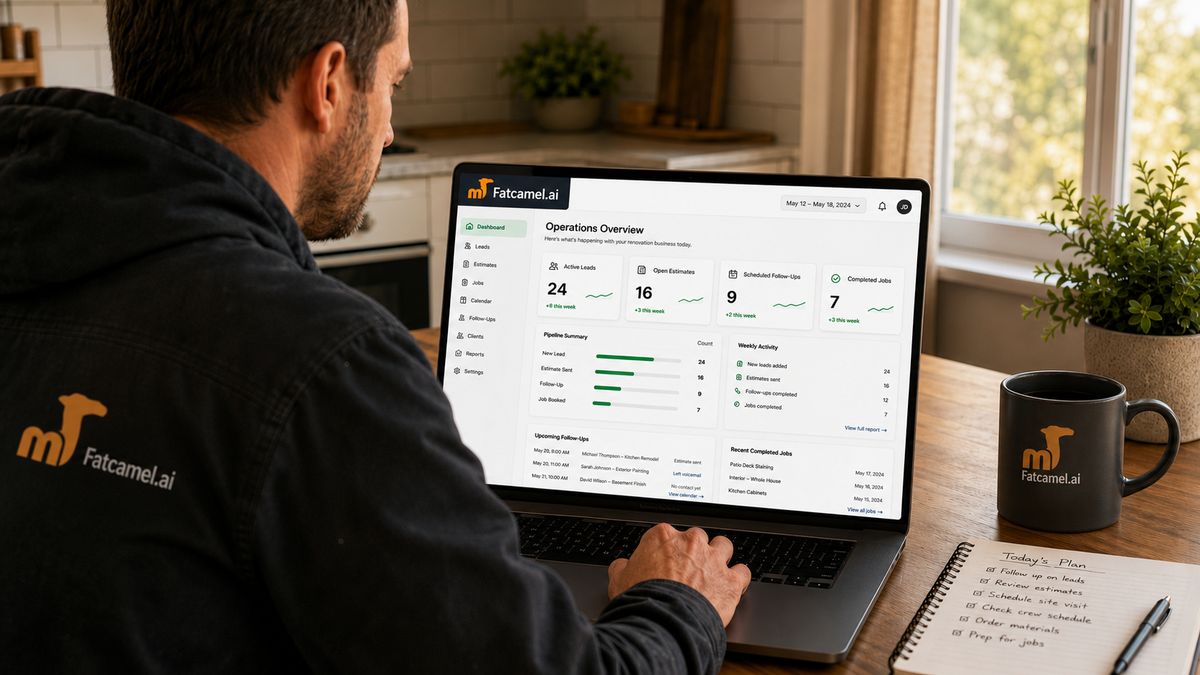
Best for: Renovation contractors who want a connected automation platform designed for small and mid-sized trade businesses, without needing a technical team to run it.
What it is: fatcamel.ai is an intelligent automation platform built specifically for service and trade businesses. Rather than requiring contractors to piece together a stack of separate tools and connect them through third-party automation platforms, fatcamel.ai is designed to bring the core workflows of a renovation business into a single connected system.
What it does for contractors:
The most common problem with construction automation tools is that the tools themselves are powerful but disconnected. Your CRM doesn't talk to your quoting tool. Your quoting tool doesn't trigger your follow-up sequence. Your follow-up sequence doesn't update your project database. Each gap requires a manual step or a separate integration, and those gaps are where leads fall through, jobs go cold, and admin time accumulates.
fatcamel.ai is built around the idea that the workflows of a renovation business should flow end to end without manual stitching. A new inbound lead gets captured, qualified, added to a pipeline, followed up with, converted to a project, and moved through to completion with the right communications going to the right people at each stage, automatically.
For renovation contractors, this means:
Lead capture and qualification. Inbound calls, form submissions, and web inquiries are handled automatically, with qualified leads routed forward and others handled appropriately.
Estimate and proposal follow-up. Quotes that go unanswered trigger follow-up sequences automatically, recovering jobs that would otherwise go cold.
Client communication automation. Project milestone updates, appointment confirmations, and check-ins go out on schedule without anyone manually drafting or sending them.
Review and referral generation. After project completion, fatcamel.ai automatically requests reviews and plants the seed for referrals at the moment client satisfaction is highest.
Pricing: Designed for the budget reality of small and mid-sized renovation businesses rather than enterprise software buyers. Visit fatcamel.ai for current pricing.
Why it belongs on this list: Most of the other tools in this guide are powerful but require either technical setup (n8n, Make), significant configuration time (GoHighLevel), or are specialized for a single function (Togal.AI, Dzinly, Fireflies). fatcamel.ai is built for the renovation contractor who wants the operational benefits of a connected ai software for renovation business without a technical team behind the setup.
How These Tools Work Together
The nine tools in this guide are not competing with each other. They're designed to cover different layers of a renovation business, and the contractors getting the most value are combining them thoughtfully.
A practical stack for a renovation contractor might look like this:
Front end (leads and sales): GoHighLevel or fatcamel.ai handles inbound leads, follow-up, and pipeline management. Zapier connects it to your other tools without technical setup.
Estimating: Togal.AI speeds up takeoffs and reduces errors. The output feeds into your proposal workflow.
Client presentations: Dzinly helps clients visualize exterior changes before committing. Fireflies capture everything discussed in the discovery call.
Operations: Airtable organizes project data, subcontractor information, and material tracking. Make or n8n connects it to the rest of your stack for complex, automated workflows.
Long-term: fatcamel.ai ties the operational layers together for businesses that want a single connected system rather than a managed stack of integrations.
You don't need all nine tools on day one. Pick the one that addresses your biggest current bottleneck and build from there.
Frequently Asked Questions
What are the best AI tools for contractors just getting started with automation?
Start with Zapier for simple workflow connections and GoHighLevel or fatcamel.ai for lead and sales management. These two layers address the highest-value problems first: losing leads and slow follow-up. Once those are running, add Airtable for project organization and Fireflies for meeting capture.
Do I need technical knowledge to use these construction automation tools?
Most of them are designed for non-technical users. Zapier, GoHighLevel, Airtable, Fireflies, and Dzinly all require no coding knowledge. Make has a moderate learning curve. n8n is the most technical option and is best suited to contractors with an operations-minded team member or a technical consultant.
How does AI software for renovation businesses improve profit margins?
The gains come from multiple directions. Faster estimates mean more bids submitted. Automated follow-up means fewer jobs lost to slow response. Better client communication means fewer costly revision requests. Smarter scheduling means less idle time. Each improvement is incremental, but together they add up to a meaningfully more profitable operation without adding headcount.
Is GoHighLevel the same as a project management tool like Buildertrend?
No. GoHighLevel is a CRM and marketing automation platform focused on the front end of your business: lead capture, follow-up, pipeline management, and client communication. Buildertrend and similar platforms focus on the operational side: scheduling, job costing, and field management. They address different parts of the business and can be used together.
How long does it take to see results from these tools?
Zapier and GoHighLevel can deliver visible improvements within days of setup. Faster follow-up and fewer dropped leads tend to show results the quickest. Tools like Airtable and Togal.AI deliver cumulative improvements over weeks as your data accumulates and processes stabilize. Full operational benefits from a connected stack typically emerge over a full project cycle.
Which of these tools is best for a solo renovation contractor?
For a one-person operation, the highest-leverage tools are fatcamel.ai or GoHighLevel for automated lead follow-up, Zapier for basic workflow connections, and Fireflies for capturing client conversations. These three together cover the most common gaps without requiring significant setup time or ongoing management.
References
https://info.builderfunnel.com/ai-tools-builders-and-remodelers
https://www.mastt.com/software/ai-construction-tools
https://cognitivefuture.ai/best-ai-tools-for-home-renovation/
https://homesage.ai/resources/blog/4-best-renovation-cost-estimating-tools-in-2026/
https://thefunnelsguys.com/go-highlevel-for-home-services-businesses-the-ultimate-guide-2025/
https://www.hnatewiczmedia.com/gohighlevel-for-contractors/
https://saastoolskit.com/gohighlevel-for-construction-companies/
https://rockitgodigital.com/post/gohighlevel-contractors-review-2026