
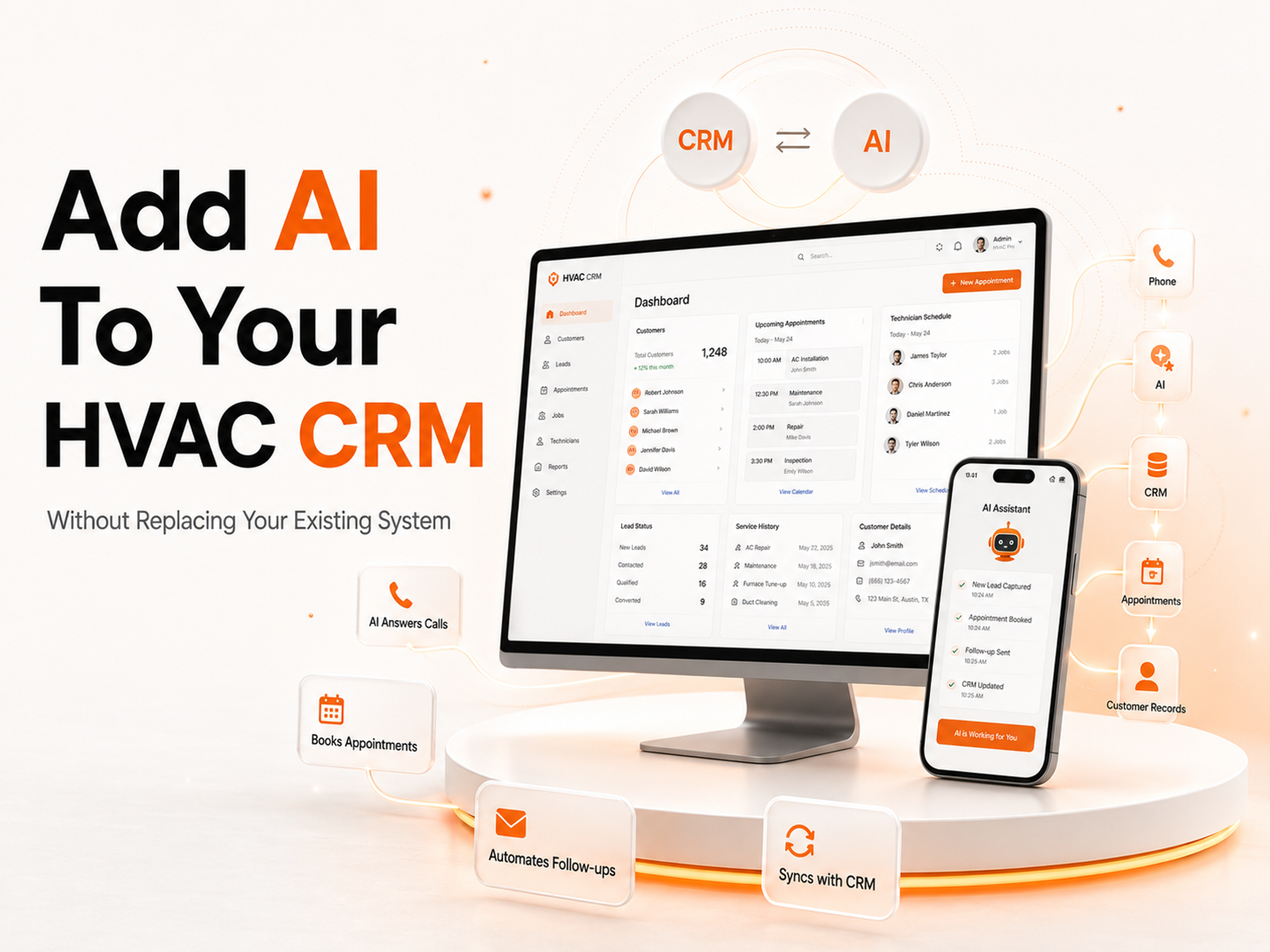
If you own an HVAC business and you have thought about using AI to automate some tasks you might think that you need to get rid of your CRM system.. That is not true. The effective way to use AI for HVAC businesses is to add it to your current CRM system. This way you can keep using the system you already have and add features to it.
This guide will show you how to add AI to your HVAC CRM system. We will talk about what your CRM system can. Cannot do and how AI can help fill in the gaps. We will also explain how to connect AI to your CRM system and what the process looks like.
Table of Contents
Why Your CRM Is Not the Problem..It's Not Enough Either
The Five Revenue Gaps Your CRM Leaves Open Every Day
How AI Actually Connects to an Existing HVAC CRM
What the Integration Process Looks Like in Practice
Platform by Platform: ServiceTitan, Jobber, Housecall Pro
What HVAC Businesses See After Integration
How FatCamel AI Adds Intelligence to Your Existing Setup
FAQ
Reference
Why Your CRM Is Not the Problem.. It's Not Enough Either

Your CRM system is a good tool but it has its limits. It can store customer records manage schedules and generate invoices.. It cannot answer phone calls or send messages on its own. That is where AI comes in. AI can help fill in the gaps by answering phone calls sending messages and updating customer records.
For example when a customer calls your business after hours your CRM system will not answer the phone.. With AI you can have a virtual assistant that answers the phone and helps the customer. This way you can provide customer service and increase sales.
The Five Revenue Gaps Your CRM Leaves Open Every Day
There are five gaps that your CRM system leaves open every day. These gaps are:
1. It does not answer phone calls when nobody is available. With AI you can have an assistant that answers phone calls and helps customers.
2. It does not run follow-up sequences. AI can send follow-up messages to customers. Help you stay on top of sales.
3. It does not keep the CRM system current in time. AI can update customer records. Keep your CRM system up to date.
4. It does not reactivate contacts. AI can help you reach out to customers and get them to come back to your business.
5. It does not handle customer communication between jobs. AI can send messages to customers. Help you stay in touch with them between jobs.
Read More: How HVAC Businesses Can Grow Faster Using AI (Without Changing Their CRM)
How AI Actually Connects to an Existing HVAC CRM
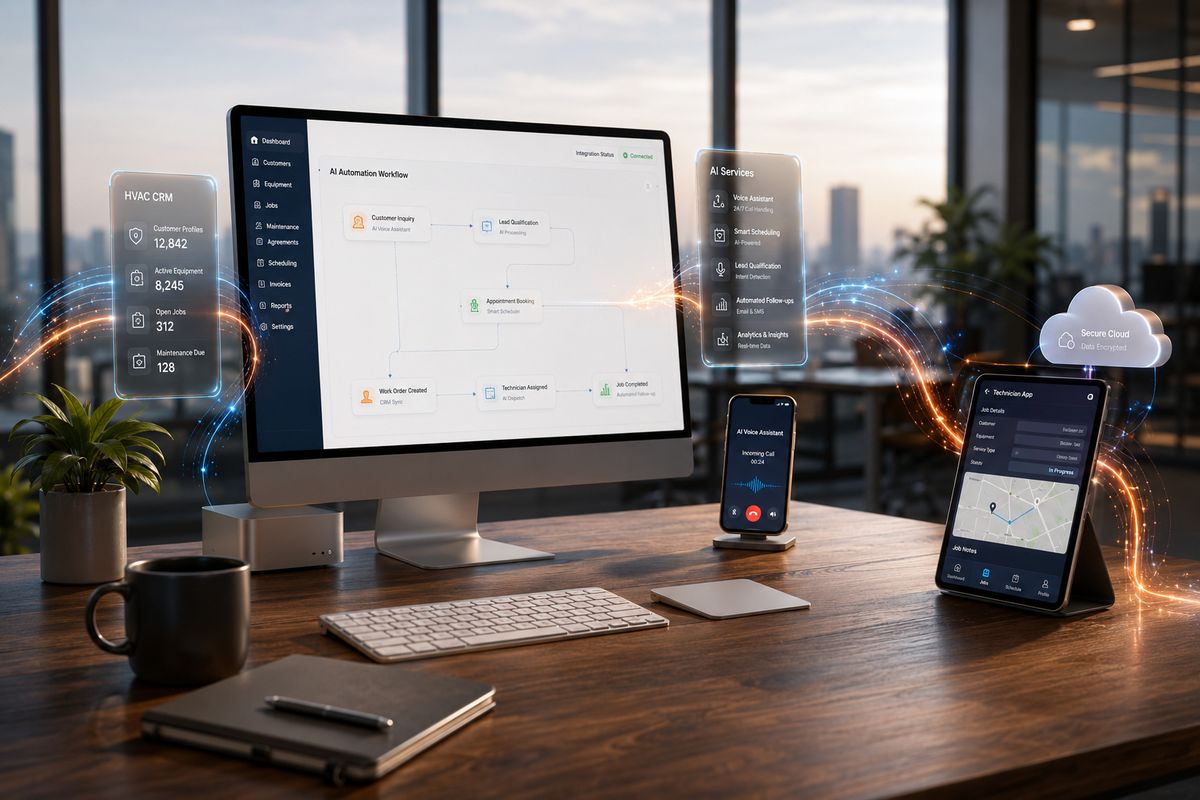
The technical process of connecting AI to your CRM system is simpler than you might think. Most HVAC field service platforms, such as ServiceTitan and Jobber have APIs that allow external tools to read from and write to the CRM system in time.
An AI integration layer uses these APIs to pull context from the CRM system before each automated interaction and push outcomes back after each interaction. This bidirectional connection is what separates a real AI integration from an automation tool.
For platforms with more limited API access, webhook-based integrations through middleware tools like Zapier or Make achieve most of the same outcomes through a slightly different architecture. Either way, the CRM stays where it is. The team keeps using it the same way. The AI layer runs underneath, handling what it handles, and the results appear in the CRM as if someone had done the work manually.
Read More: How Commercial HVAC Companies in Fort Worth Are Winning More Contracts With AI
What the Integration Process Looks Like in Practice
The integration process follows a pattern. First you need to identify the highest-cost gap that your CRM system leaves open. For HVAC businesses this is after-hours call capture.
Next you need to connect the AI layer to your CRM system. This typically takes one, to two weeks through API credential setup and configuration. During this process your existing workflow will not change. Your team will continue to use the CRM system exactly as they always have.
Once the integration is complete you will start to see the benefits of using AI to automate tasks and fill in the gaps left by your CRM system. You will be able to provide customer service increase sales and grow your business faster.
Configure the AI behaviors. This is where most of the work happens for the HVAC business. The call flow for the voice assistant the trigger conditions for follow-up sequences the thresholds for dormant lead reactivation the timing of customer communication messages. All of this gets configured to reflect how the HVAC business actually operates. A configured AI layer feels invisible to the team. It handles what it handles. The outcomes appear in the CRM as organized, current accurate data.
Measure from day one. Call answer rate, lead response time follow-up completion rate, booking conversion rate from AI-handled interactions. These numbers establish the ROI baseline. Identify where further adjustments will produce additional improvement. Businesses that deploy without establishing before-and-after metrics can't calculate their return accurately which makes it harder to justify and harder to improve over time.
Platform by Platform: ServiceTitan, Jobber, Housecall Pro
The integration approach varies depending on which CRM the HVAC business is running.
ServiceTitan has a documented API and was built to support third-party integrations from its earliest versions. The platforms comprehensive data model. Equipment records, maintenance agreements, job history, customer profiles. Makes it particularly well-suited to AI integrations that rely on CRM context to personalize interactions. An AI voice assistant connected to ServiceTitan can reference the callers three service visits their equipment age and whether they're on a maintenance agreement before the first sentence of the call.
Jobber provides API access on its Connect and Grow plans. The integration is cleaner and faster to set up than ServiceTitan though the data model is somewhat simpler. For HVAC businesses on Jobber AI voice assistants and follow-up automation connect cleanly. Produce strong results despite the lighter underlying data. The speed of deployment is an advantage for smaller contractors who want results quickly without a complex setup process.
Housecall Pro supports integrations through its marketplace and Zapier connections. The platform has expanded its native automation capabilities in years, which means some AI functionality can be added through built-in features. For capabilities that exceed Housecall Pros automation. Particularly AI voice answering after hours and advanced dormant lead reactivation. External AI tools connect through webhook-based integrations that achieve most of the same outcomes with a slightly different technical architecture.
Read More: The Hidden Cost of Missed Leads in the Home Service Industry
What HVAC Businesses See After Integration

The outcomes are measurable and appear quickly because they address calculable revenue losses rather than producing vague operational improvements.
After-hours call capture produces the immediate result. HVAC businesses that integrate an AI voice assistant with their CRM typically see their after-hours answer rate go from near zero to effectively complete within the week of deployment. ServiceTitan data shows HVAC businesses miss up to 74% of calls when crews are in the field. AI closes that gap on day one. For a business missing five after-hours calls per week at a job value of 650 dollars that's a weekly revenue recovery of over 1,400 dollars from a single integration.
Follow-up automation produces results over a longer window. Typically 30 to 60 days. As automated sequences work through the existing lead pipeline. HVAC businesses that implement multi-touch follow-up see estimate acceptance rates improve meaningfully because leads that previously received one or two manual follow-up attempts before being abandoned are now receiving five to eight touchpoints on a fixed schedule.
CRM data accuracy improves immediately. When every call and every job outcome is logged automatically than depending on manual entry the operational picture the CRM reflects becomes reliable enough to actually use for scheduling, dispatching and management decisions. The benefits. Better routing, fewer scheduling conflicts, more reliable reporting. Compound for as long as the integration runs.
How FatCamel AI Adds Intelligence to Your Existing Setup
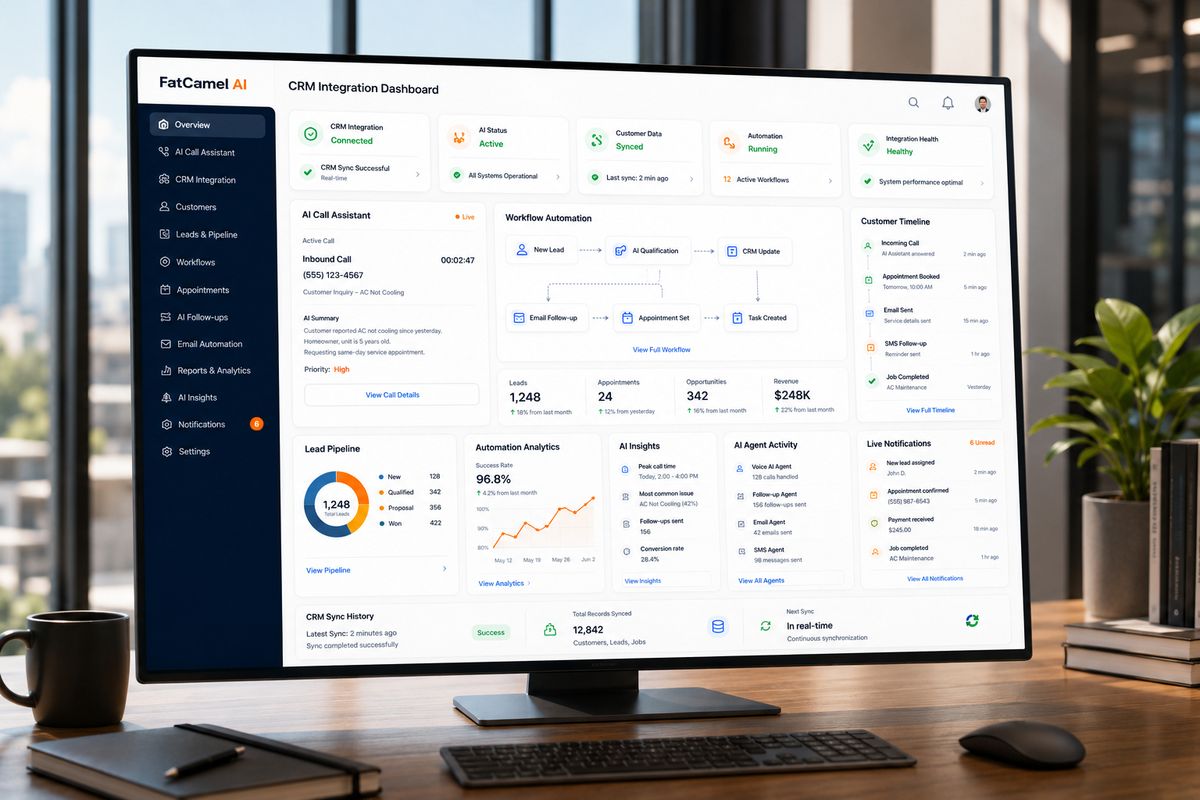
Every capability described in this guide needs to operate as a connected system built on top of the existing CRM. Not as a replacement for it. FatCamel AIs CRM Automation service delivers that for HVAC contractors connecting to the field service platforms already in use and filling the gaps those platforms leave open.
The process starts with a review of the CRM setup and the specific gaps costing the HVAC business the most revenue. From there FatCamel AI connects the automation tools to the existing platform. RealtorVoiceAI for after-hours call capture and booking follow-up sequence automation for lead nurturing real-time CRM logging for data accuracy and reactivation workflows for dormant contacts. Each configured to reflect how the HVAC business actually operates rather than applied as a generic template.
The team keeps using their CRM exactly as they always have. The AI layer runs in the background. The results appear in the CRM as organized, current accurate data. Calls answered that would have gone to voicemail leads followed up that would have gone cold customers re-engaged that would have drifted to a competitor. For HVAC businesses that have resisted AI adoption because of concerns about CRM migration and workflow disruption this is the answer: the CRM stays the team stays and the intelligence gets added on top.
Get a Free AI Revenue Audit for Your HVAC Business at https://www.fatcamel.ai/contact
FAQ
1. Do I have to replace my HVAC CRM to add AI automation?
No. The effective AI integrations for HVAC contractors connect to the CRM already in use rather than replacing it. ServiceTitan, Jobber, Housecall Pro and FieldEdge all support API or webhook-based connections that allow AI tools to read from and write to existing records without any data migration or workflow disruption. The existing CRM stays as the foundation. The AI layer adds the action capability the core platform doesn't provide.
2. What does AI actually add that the CRM doesn't already do?
HVAC CRMs manage data and workflows when a human is actively using them. What they don't do is act autonomously. Answer calls when nobodys available trigger follow-up messages based on elapsed time log interactions without entry or reach out to dormant contacts. AI adds this action layer on top of the CRMs existing data. According to ServiceTitan data contractors miss up to 74% of calls when crews are in the field. AI closes that gap without replacing anything the CRM already does.
3. Which HVAC CRM platforms support AI integration?
ServiceTitan, Jobber, Housecall Pro, FieldEdge, Wintac and most major HVAC field service platforms support AI integration through APIs, webhooks or marketplace connectors. The specific pathway and breadth of capabilities vary by platform. All major platforms used by HVAC contractors have integration pathways that support the most commercially important AI functions. After-hours voice answering, follow-up automation and real-time CRM logging.
4. How long does it take to integrate AI with an existing HVAC CRM?
A AI integration. Such as an AI voice assistant connected to an existing CRM. Typically takes one to two weeks to configure and deploy. A comprehensive AI layer covering voice answering, follow-up sequences, customer communication and dormant lead reactivation typically takes 60 to 90 days for full deployment. The existing CRM operation continues throughout. There's no cutover moment where the old system stops working.
5. Will adding AI require retraining my team?
In cases no. Because the AI layer runs in the background. Writes outcomes back to the CRM, the day-to-day workflow for dispatchers, technicians and office staff doesn't change. The CRM looks the same. The processes are the same. The difference is that the CRM now reflects complete and current data and the team no longer needs to manually initiate every follow-up and communication step.
6. Whats the ROI on adding AI to an HVAC CRM?
The direct calculation starts with after-hours call capture. An HVAC business missing five after-hours calls per week at a job value of 650 dollars loses approximately 169,000 dollars annually to unanswered calls. An AI voice assistant recovers the majority of that revenue at a fraction of that cost. Follow-up automation and dormant lead reactivation produce ROI streams. Most businesses see ROI on the voice integration within the first month of deployment.
7. How does FatCamel AI integrate with existing HVAC CRM platforms?
FatCamel AIs CRM Automation service connects to the existing CRM through API or webhook integrations reads from customer records to personalize interactions and writes outcomes back after every call, message and job event. The integration is configured to match the operational profile of the HVAC business. Scheduling process, dispatch workflow, customer communication preferences. Rather, than applying a generic template that requires the business to adapt to the tool.
References
https://www.servicetitan.com/features/pro/contact-center
https://www.artifactaisolutions.com/blog/hvac-revenue-lost-from-missed-calls
https://www.callrail.com/blog/missed-calls-stats
https://serviceagent.ai/blogs/best-hvac-crm-software/
https://myquoteiq.com/ai-powered-crm-for-hvac-companies/
https://www.simprogroup.com/blog/ai-hvac
https://www.housecallpro.com/resources/ai-in-the-trades/
https://www.fatcamel.ai/services/crm-automation