
Quick Answer: Make can be a practical middle ground for HVAC contractors that need more flexibility than simple two-step automations. Zapier can suit simpler workflows, while n8n is better suited to teams that can manage more technical setup. FatCamel AI uses all three depending on the specific workflow being built.
If you've spent any time researching HVAC automation, you've probably run into Zapier, Make, and n8n. They're all workflow automation platforms tools that connect your apps and trigger actions automatically. But they're designed for different types of users, different complexity levels, and different budgets. Picking the wrong one means either paying too much for something simple or getting stuck trying to build something the platform wasn't designed for.
This guide explains what each tool actually does, where each one fits in a real HVAC operation, and how FatCamel AI uses them when building custom automation for contractors.
Table of Contents
- What These Tools Actually Do (And What They Don't)
- Zapier: When It Makes Sense for HVAC
- Make: When It Makes Sense for HVAC
- n8n: When a More Technical Setup Makes Sense
- Side-by-Side Comparison for HVAC
- Real HVAC Workflows Built on Each Platform
- How FatCamel AI Chooses Between Them
- FAQ
What These Tools Actually Do (And What They Don't)
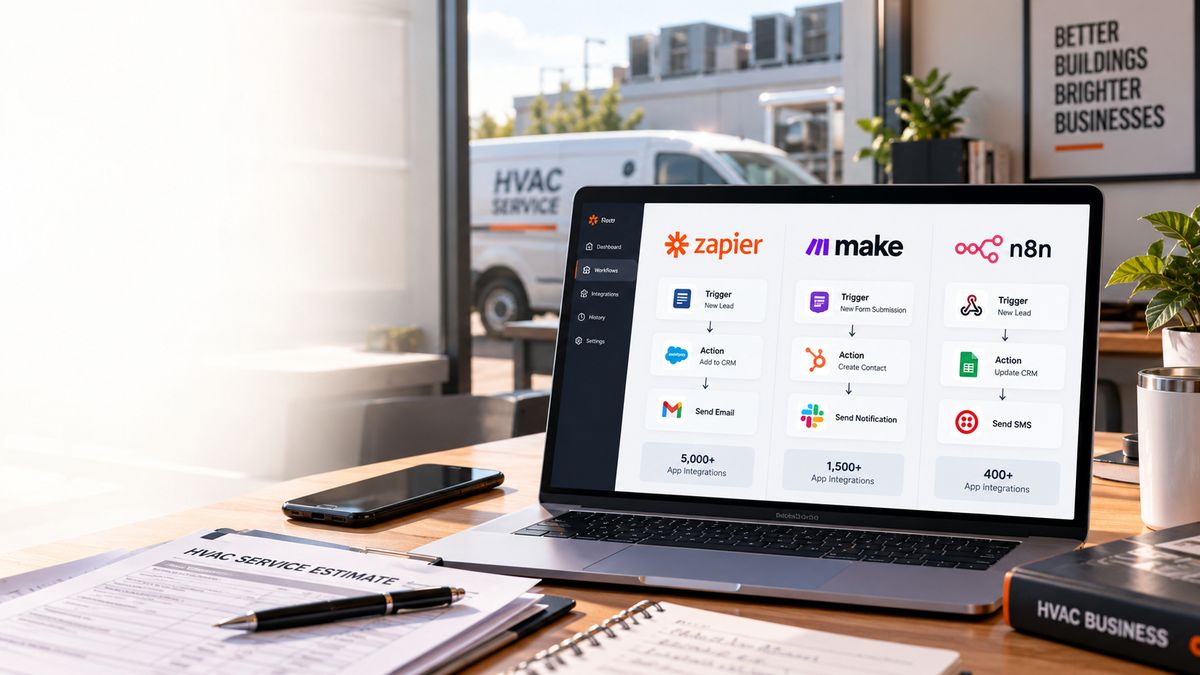
Zapier, Make, and n8n are all middleware they sit between your existing apps and trigger automated actions when specific conditions are met. When a new lead submits a web form, the automation can create a CRM record, send a confirmation SMS, and notify the dispatcher all without anyone manually doing those steps.
What they don't do: they're not AI systems, they're not CRMs, and they're not field service management platforms. They're the connective tissue between the tools you already use. If your HVAC business runs Jobber for scheduling, Mailchimp for email, and QuickBooks for invoicing, these platforms are what make those three talk to each other.
The distinction between them comes down to three variables: how easy they are to set up, how much they cost at scale, and how much flexibility they offer for complex logic.
Zapier: When It Makes Sense for HVAC
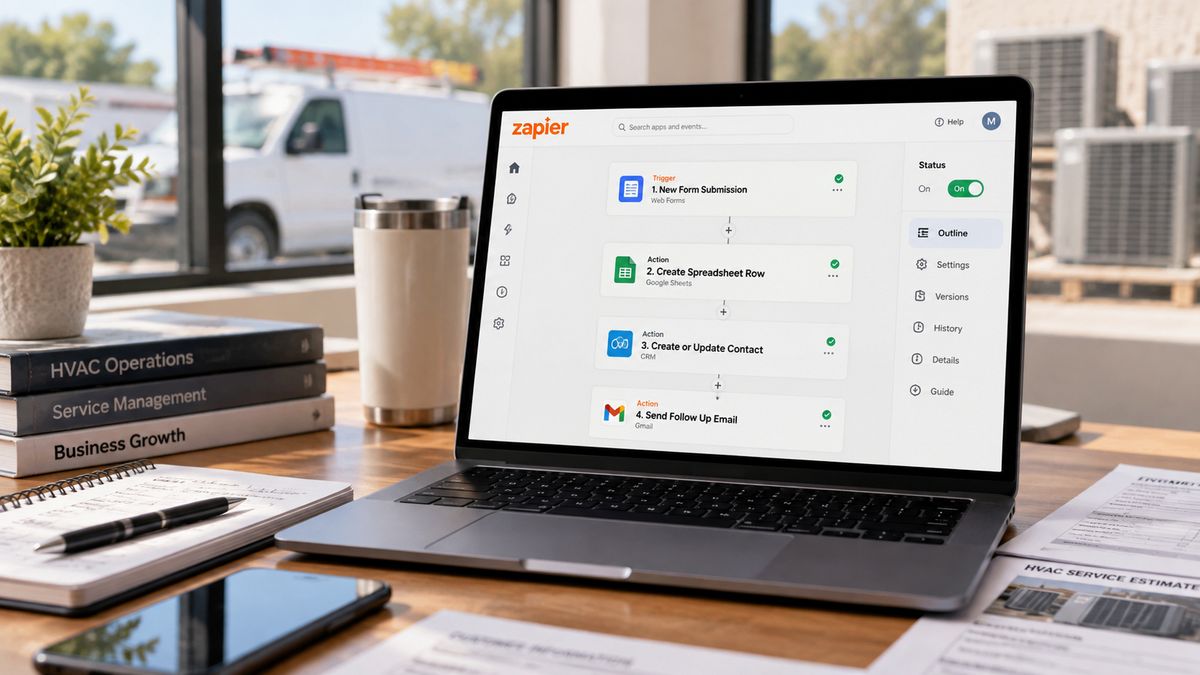
Zapier is generally designed for quick setup, especially for straightforward app connections. For a small HVAC shop that wants to automate a handful of simple tasks without hiring a developer or spending a day learning a new platform, Zapier gets things working fast.
It connects to more than 8,000 apps, including integrations with many common business and CRM tools. Check the specific HVAC software you use for available native integrations.
Where Zapier works well for HVAC:
- Adding new leads from a web form directly to the CRM
- Sending an automatic email or SMS when a job is marked complete in Jobber
- Creating a QuickBooks invoice when a work order closes in Housecall Pro
- Notifying the dispatcher via Slack or SMS when an emergency form is submitted overnight
Where it gets expensive: Zapier charges per task each automated action counts as one task. A simple workflow that sends a confirmation email and updates the CRM is two tasks per trigger. At low volumes this is manageable. At higher volumes sending hundreds of follow-up messages per month, processing dozens of new leads daily the cost climbs quickly. Zapier pricing varies by plan and usage, with paid plans starting around $20/month
The honest verdict for HVAC: Zapier is a good starting point for contractors who want to test automation without a significant time or financial investment. If simplicity is the priority, Zapier may be suitable. If workflows become more complex or usage grows, compare the pricing and workflow limits of alternatives such as Make and n8n.
Read More: Local SEO Automation for HVAC Businesses: How to Rank Higher and Convert More Calls
Make: The Sweet Spot for Most HVAC Contractors
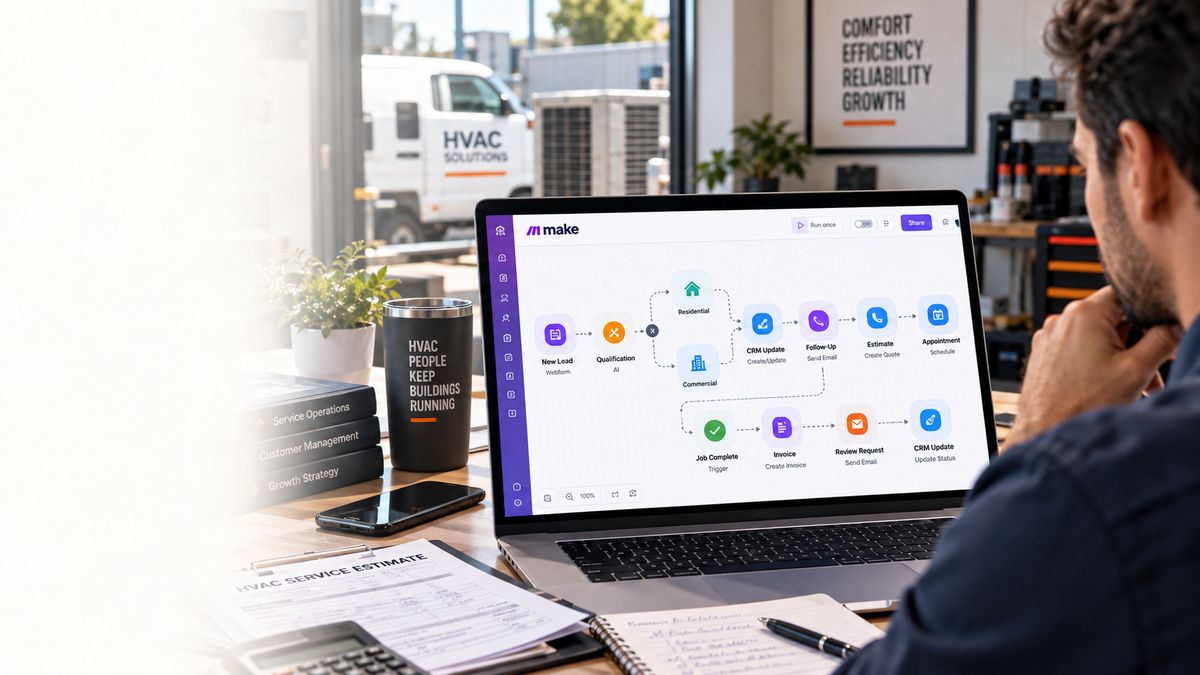
Make (formerly Integromat) offers a visual workflow builder each step appears as a module connected by lines, so the full logic of a workflow is visible at once rather than buried in settings menus. This visual approach makes complex, multi-step workflows easier to build and troubleshoot than Zapier's linear format.
The pricing model is also fundamentally different. Make charges per operation each individual step in a workflow rather than per completed task. For workflows with multiple steps, the total cost can differ significantly depending on workflow complexity, usage, and the pricing plan. For an HVAC company running a five-step lead nurture workflow across hundreds of leads per month, the cost difference can be substantial.
Where Make works well for HVAC:
- Multi-step estimate follow-up sequences: send email on day 3, check if opened, send SMS on day 7 if no response, update CRM with outcome
- Post-job workflows: mark job complete in Jobber → generate invoice in QuickBooks → send review request SMS to customer → log outcome in CRM
- Lead qualification routing: new lead arrives → check property type field → route residential leads to dispatcher A, commercial leads to dispatcher B
- Conditional logic: if a form submission includes "gas smell" in the description → immediately text the on-call technician AND send a priority alert to the dispatcher
Make's visual builder handles branching logic and conditional paths well things that require a workaround in Zapier's linear structure. For HVAC businesses running workflows that need to make decisions (if/then logic, different responses based on lead type or job status), Make handles this more cleanly.
Pricing: Make offers a free plan, with paid plans starting at $12/month for 10,000 credits on the Core plan. Actual cost depends on the number of credits used, workflow complexity, and the plan selected.
The honest verdict for HVAC: Make can be a useful option for established HVAC businesses that need multi-step workflows and more control over how those workflows are structured. The learning curve is slightly steeper than Zapier expect a few hours to get comfortable with the interface but the flexibility and pricing make it the better long-term fit for growing HVAC operations.
n8n: Powerful, But Only If You Have the Right Setup
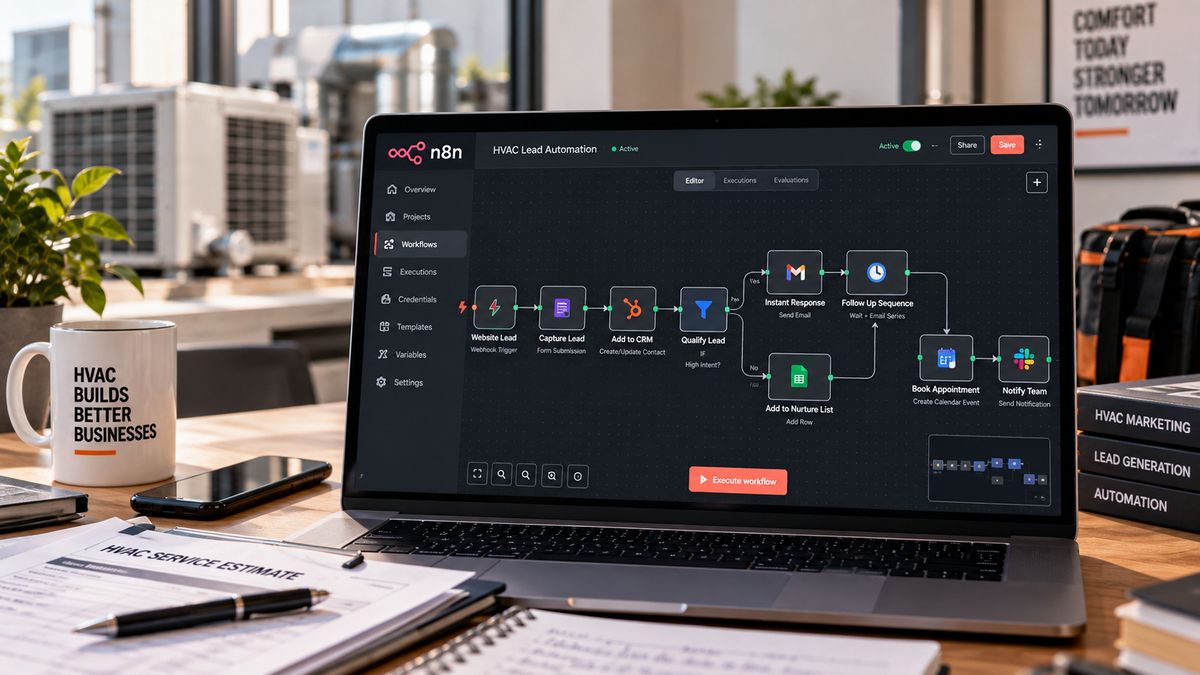
n8n is an open-source automation platform. It has a visual workflow builder similar to Make, connects to a wide range of apps through both native integrations and custom HTTP requests, and crucially can be self-hosted. Self-hosting means the platform runs on your own server rather than a third-party cloud, which uses a different cost structure from task- or operation-based pricing.
n8n uses workflow-execution-based pricing for its cloud plans, while self-hosted deployment has different infrastructure and licensing considerations. If an HVAC company is running thousands of automated operations per month, the overall cost can differ depending on execution volume, infrastructure, and how the workflows are managed.
Where n8n works well for HVAC:
- High-volume automation where per-operation costs on Zapier or Make would be prohibitive
- Custom integrations with tools that don't have native Zapier or Make connectors
- Building AI-powered workflows that combine automation logic with language model calls
- Complex multi-branch logic that benefits from the additional flexibility of n8n's node system
The catch: Self-hosting requires a server, technical setup, and ongoing maintenance. An HVAC business owner who wants to focus on running their operation isn't going to self-host n8n themselves. The cloud-hosted version of n8n (n8n.cloud) is more accessible, but at that point the cost advantage over Make narrows, and the broader app integration library of Zapier or Make often becomes more practical.
n8n makes sense for HVAC businesses in two scenarios: they have a technical team member or IT resource who can manage the infrastructure, or they're working with an automation agency that manages n8n on their behalf in which case the HVAC business never touches the platform directly.
The honest verdict for HVAC: It may require more technical involvement than the other two options, particularly when self-hosting or custom development is involved. It's worth knowing it exists and understanding that it becomes relevant as automation complexity and volume grow. For businesses working with an automation partner who builds and maintains the workflows, n8n's power and flexibility can produce results that more constrained platforms can't.
Read More: How to Choose the Best HVAC Automation Agency (+ Real Costs, ROI & Case Studies)
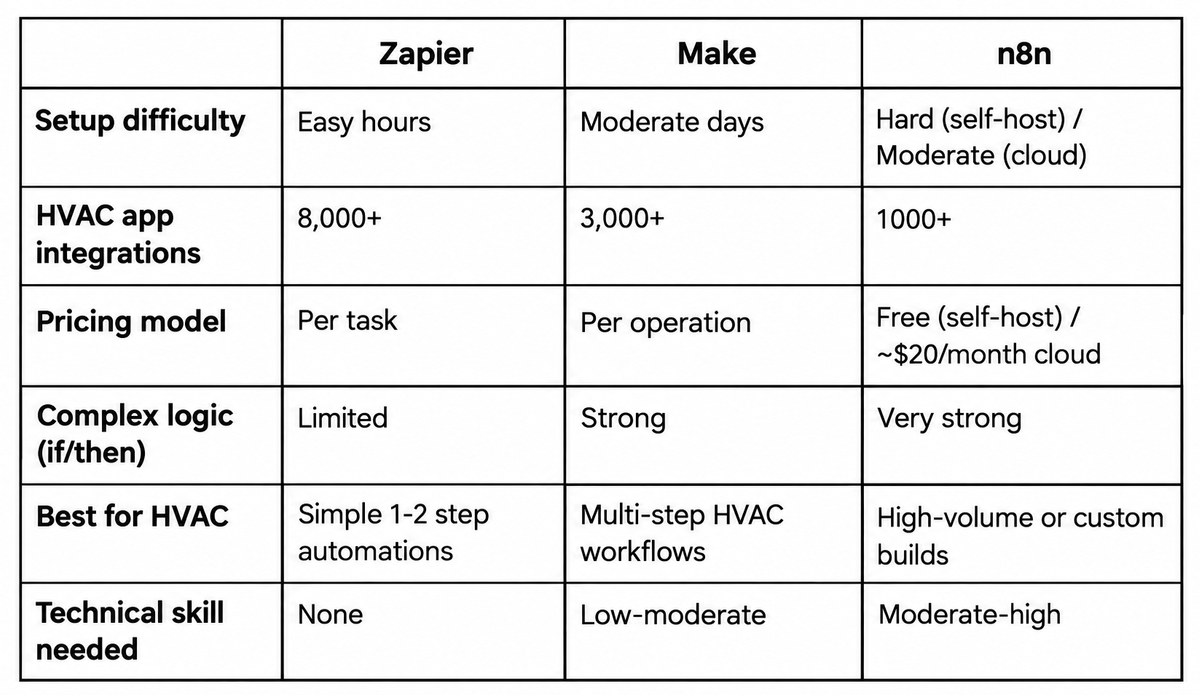
Side-by-Side Comparison for HVAC
Real HVAC Workflows Built on Each Platform
Zapier - Simple after-hours notification: New lead submits contact form on HVAC website → Zapier sends an SMS to the dispatcher with the lead's name, phone, and issue description → Zapier adds the contact to the CRM with "New Lead" status.
Two steps. Works in under an hour. Ideal for a small HVAC shop that wants instant lead notification without any complex logic.
Make - Multi-step estimate follow-up: Estimate marked "sent" in Jobber → Make waits 3 days → checks if estimate status has changed to "accepted" → if yes, stops the sequence → if no, sends a follow-up email from the HVAC company's Gmail → waits 4 more days → checks status again → if still no response, sends an SMS → logs outcome in CRM. One workflow handles the entire chase process for every estimate automatically.
n8n - AI-enhanced lead qualification: New lead form submitted → n8n sends the lead description to a language model for urgency classification → if classified as emergency, immediately texts the on-call technician and creates a priority job record → if classified as routine, adds to the standard booking queue and triggers the appropriate follow-up sequence. This type of workflow combines automation logic with AI decision-making — something n8n handles particularly well when managed by a team with the technical capability to build it.
How FatCamel AI Chooses Between Them
FatCamel AI uses all three platforms Zapier, Make, and n8n depending on what a specific HVAC workflow requires.
The selection isn't driven by preference for one platform. It's driven by what the workflow needs to do, how technically the client's existing tools integrate, and what the right long-term cost structure is for that volume of automation. A simple lead notification for a small residential HVAC contractor might be a Zapier build. A multi-step commercial follow-up system with conditional routing might be Make. A high-volume AI-enhanced dispatch triage workflow might be n8n managed on FatCamel's infrastructure.
The HVAC contractor doesn't need to become an expert in any of these platforms. The point of working with an automation agency is that the right tool gets selected, built, and maintained and the contractor interacts with the outcomes (leads captured, estimates followed up, reviews generated) rather than the infrastructure producing them.
"FatCamel's service is exceptional! Even after my automation was complete, they were always quick to help with any changes I needed." - Rali David, Founder & CEO, TheNaturalHacks
That's the practical answer to the Zapier vs Make vs n8n question for most HVAC businesses: the right tool is whichever one the team building your automation selects based on your specific workflows not whichever one you've heard the most about.
To Know More: Complete HVAC Business Automation Guide (+ Workflow Automation Services)
👉 Book a Free Consultation with FatCamel AI
FAQ
1. Which is better for HVAC automation Zapier, Make, or n8n?
Make can be a practical option when an HVAC contractor needs multi-step workflows without moving into a more technical setup. It is designed to handle multi-step workflows and branching logic, while the total cost depends on usage, workflow complexity, and the plan selected. Zapier is a reasonable starting point for simple one-to-two step automations where ease of setup matters more than cost. n8n is worth considering for high-volume or custom builds, but typically requires technical resources or an automation agency managing the infrastructure.
2. What can these automation tools do for an HVAC business?
Zapier, Make, and n8n connect the apps an HVAC business already uses Jobber, Housecall Pro, QuickBooks, CRMs, email platforms and trigger automated actions when specific conditions are met. Common HVAC use cases include after-hours lead notification, estimate follow-up sequences, post-job review requests, invoice generation on job completion, and lead qualification routing. They don't replace field service management platforms they connect them to each other and to communication channels.
3. How much do these tools cost for an HVAC business?
Zapier plans range from roughly $20 to $799 per month depending on the number of automated tasks.Pricing varies by plan, usage, workflow complexity, and execution volume. Zapier, Make, and n8n all use different pricing structures, so the actual cost depends on how the automation is built and used.
4. Does an HVAC contractor need to learn these platforms themselves?
Not necessarily. HVAC contractors who work with an automation agency don't interact with these platforms directly the agency builds, maintains, and updates the workflows. For contractors who want to build and manage automations themselves, Zapier is designed for straightforward setup, while Make provides more visual control over multi-step workflows. n8n generally offers more technical flexibility. Make requires a few hours of learning before the interface becomes intuitive. n8n, particularly the self-hosted version, is not practical for non-technical users without dedicated IT support.
5. How does FatCamel AI use Zapier, Make, and n8n for HVAC clients?
FatCamel AI uses all three platforms depending on the specific workflow requirements of each HVAC client. Simple notification automations might use Zapier for speed of deployment. Multi-step HVAC workflows with conditional logic estimate follow-up sequences, post-job communication, lead routing typically use Make for flexibility and cost efficiency at volume. Complex or high-volume workflows that require custom integrations or AI-enhanced decision-making may use n8n managed on FatCamel's infrastructure. The HVAC contractor works with the outcomes, not the platform.
References
https://www.launchadvisor.co/guides/zapier-vs-make-vs-n8n-home-services-handyman
https://parseur.com/blog/zapier-n8n-make
https://www.neuramonks.com/blog/n8n-vs-zapier-vs-make-for-ai-automation-which-one-actually-scales-in-2026
https://zapier.com/blog/n8n-vs-make/
https://www.datacamp.com/blog/n8n-vs-zapier
https://www.fatcamel.ai/services/business-automation
https://www.fatcamel.ai/