
Quick Answer: HVAC business automation covers eight core workflow areas: lead capture and response, dispatch and scheduling, estimate and quote management, invoicing and payment collection, customer communication, CRM data management, dormant lead reactivation, and marketing and review generation. Most HVAC businesses automate one or two of these inconsistently. The ones that automate all eight as a connected system stop trading owner hours for operational consistency and that's when growth actually becomes possible.
Running an HVAC business manually at any real scale means working in the business as much as on it. Every missed after-hours call is a manual failure. Every estimate sitting in a CRM without a follow-up is a manual failure. Every past customer who drifted to a competitor because nobody reached out between service cycles is a manual failure. None of these are motivational problems. They're structural ones the result of building a business where the operational consistency depends entirely on people doing the right thing at the right time while managing everything else simultaneously.
Automation fixes structural problems. Not by replacing people, but by removing the dependency on perfect manual execution for the tasks that don't require human judgment. This guide covers every workflow worth automating in an HVAC business, what each one costs, and how to build a system that operates at the same level of consistency at 2 AM on a Saturday as at 10 AM on a Tuesday.
Table of Contents
Why HVAC Business Automation Actually Matters (Beyond Saving Time)
The 8 Core HVAC Workflows to Automate
Workflow 1: Lead Capture and Instant Response
Workflow 2: Dispatch and Scheduling
Workflow 3: Estimate and Quote Management
Workflow 4: Invoicing and Payment Collection
Workflow 5: Customer Communication and Follow-Up
Workflow 6: CRM Data Management
Workflow 7: Dormant Lead and Customer Reactivation
Workflow 8: Marketing, Reviews, and Reputation
What HVAC Business Automation Actually Costs in 2026
How to Build the Full Automation Stack Without Replacing Your Current Systems
How FatCamel AI Delivers Complete HVAC Workflow Automation
FAQ
References
Why HVAC Business Automation Actually Matters (Beyond Saving Time)
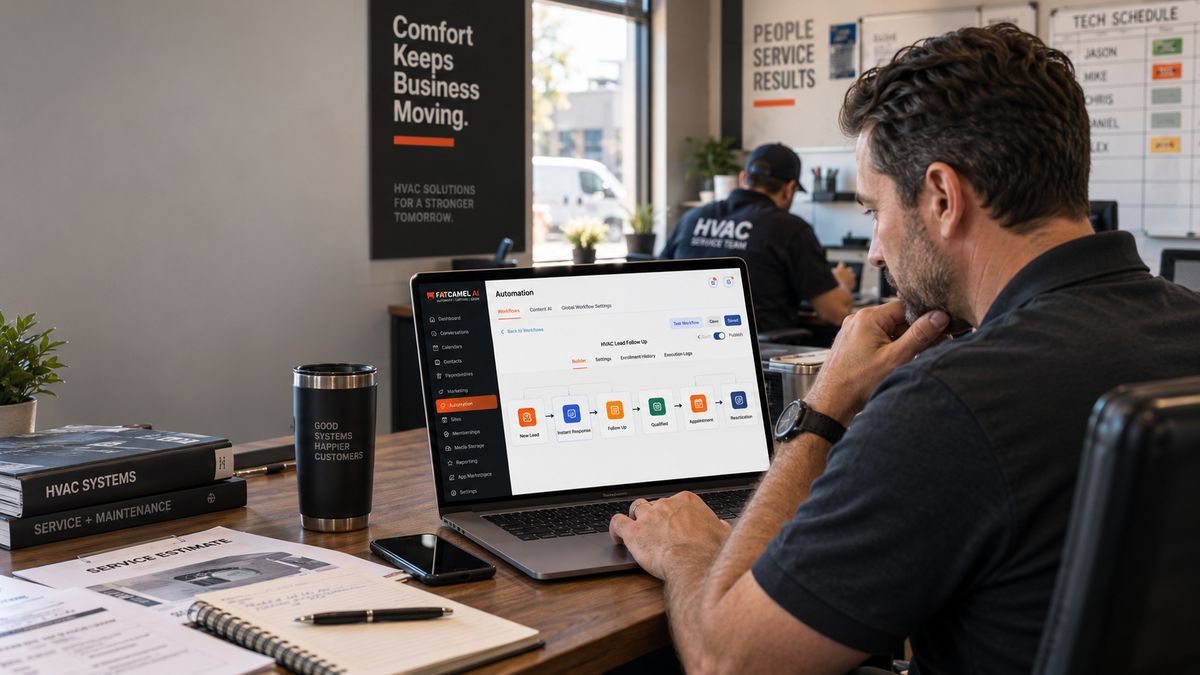
The conversation about HVAC business automation usually starts with saving time. That's real automating scheduling, invoicing, and follow-up does recover meaningful hours per week. But the bigger reason to automate isn't time. It's revenue consistency.
An HVAC business that generates $80,000 in monthly revenue during peak season but struggles to maintain $45,000 in slow months has a consistency problem, not a marketing problem. The demand exists homeowners need HVAC service in January too. What fails in the slow months is the proactive outreach, the maintenance reminders, the seasonal campaigns, and the customer reactivation sequences that fill calendars before urgency creates the call. All of those activities work best when they run automatically on a schedule, not when someone gets around to them.
The same applies to conversion. Wishup's research on HVAC operations found that businesses above $1M in revenue lose more than 30 hours per week to administrative work that generates zero revenue. A significant portion of that time is manual follow-up, data entry, scheduling coordination, and estimate chasing tasks that automation handles faster, more consistently, and without burning through the operational capacity that should go toward delivering actual service.
The businesses that compound growth year over year aren't necessarily the ones with the best technicians or the lowest prices. They're the ones that built systems that capture leads when nobody's available, convert at consistent rates through follow-up, retain customers through proactive communication, and collect on invoices without chasing because those processes run automatically, not only when someone has time to do them manually.
To Know More: Why HVAC Companies Lose Leads After Hours (And How to Fix It With an AI Answering Service)
The 8 Core HVAC Workflows to Automate
Workflow 1: Lead Capture and Instant Response
Every dollar spent on HVAC advertising Google Ads averaging $8 to $25 per click, LSA leads at $45 to $85 each, Facebook leads at $30 to $60 produces a lead that either gets captured or doesn't. Whether it gets captured depends almost entirely on response time and response quality, not on the quality of the advertising.
The numbers on this are consistent: respond within five minutes and the odds of converting a lead into a real conversation are dramatically higher than responding within 30 minutes. For HVAC businesses where homeowners contact multiple contractors simultaneously, response speed determines who gets the conversation before any comparison of price or quality happens.
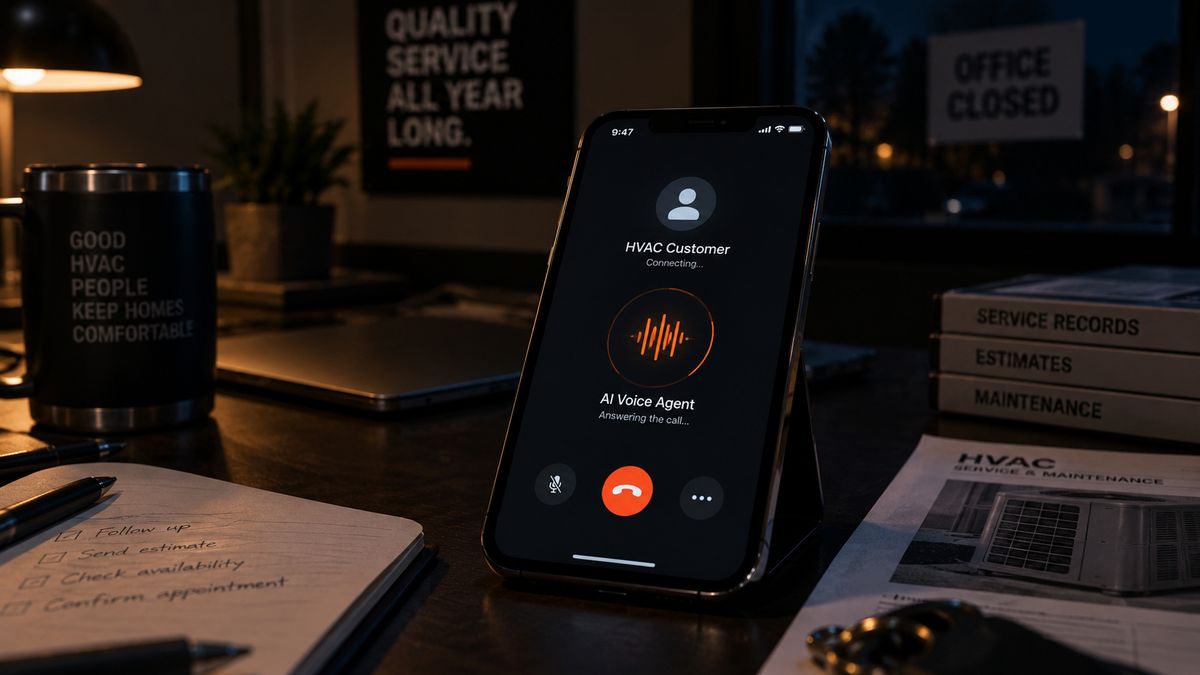
An automated lead capture and response system handles this for every channel simultaneously. An AI voice agent answers every call immediately including the 35 to 45% that arrive after standard business hours qualifies the situation, and books the appointment in real time. Web form submissions get an automated email and SMS within 60 seconds. Missed calls get a text-back before the caller finishes deciding who else to try.
The automation cost here is $200 to $500 per month for a subscription-based AI answering service, or $3,000 to $8,000 for a custom-built AI voice agent configured specifically for HVAC call types emergency triage, routine maintenance booking, commercial routing. For a business spending $3,000 per month on Google Ads and converting 5 additional jobs per month through faster response, the ROI calculation is straightforward.
Workflow 2: Dispatch and Scheduling
Dispatch is where operational complexity compounds fastest. At five technicians with 20 jobs per day, a skilled dispatcher can hold the relevant variables in their head. At fifteen technicians with 60 jobs per day across multiple service types, equipment certifications, geographic zones, and priority levels, manual dispatch produces systematic errors wrong technician sent to a refrigerant job they're not certified for, two trucks driving past each other to swap service areas, an emergency call sitting in the queue while a technician handles a routine tune-up nearby.
Automated dispatch and scheduling addresses this by analyzing all relevant variables simultaneously and surfacing the optimal assignment rather than requiring the dispatcher to construct it from scratch. Technician skill match, geographic proximity, current workload, equipment on the truck, and job urgency all factor into the recommendation. The dispatcher reviews and approves; the technician gets the job details on their mobile app; the customer receives an automated confirmation with an arrival window.
Route optimization alone is worth quantifying. In a team of ten technicians, reducing average daily drive time by 20 minutes per technician recovers 200 minutes of billable capacity per day. At a $75 per hour billable rate, that's $250 in recovered daily revenue $65,000 annually from a single optimization change.
Scheduling automation also handles maintenance appointment coordination automatically. When a maintenance agreement requires a spring visit, the system schedules it, sends the customer confirmation, and puts it on the dispatch board without a coordinator manually creating each appointment. ServiceTitan, Jobber, and Housecall Pro all support API integrations that connect AI-powered dispatch optimization to the existing dispatch board.
Read More: How to Increase HVAC Lead Conversion Rate (From First Call to Booked Job)
Workflow 3: Estimate and Quote Management
The estimate workflow is where the most recoverable revenue sits in most HVAC businesses. An estimate represents the maximum investment already made in a lead the site visit, the technician's time, the full scope and pricing work. Less than 40% of HVAC businesses have any systematic follow-up process after an estimate goes out.
Automated estimate management covers three stages. First, estimate delivery: the system sends the estimate to the customer immediately when it's marked complete in the field, rather than waiting for someone to manually send it back at the office. Same-day estimates convert at roughly double the rate of estimates delivered three or more days after the visit.
Second, estimate follow-up: a structured sequence starts the moment the estimate status is updated to sent. Day three brings a check-in asking if the customer has questions about the scope or pricing. Day seven adds context — what's included, why the approach makes sense. Day fourteen is a soft message that keeps the door open. This sequence runs automatically, stops when the estimate is accepted or declined, and requires no manual tracking.
Third, conversion tracking: the system surfaces which estimates are converting and which are sitting idle, so the business has visibility into where the follow-up process is working and where it needs adjustment.
HVAC businesses running structured estimate follow-up consistently see acceptance rates improve by 15 to 25 percentage points. On a system replacement quote worth $10,000, that improvement is significant individual deal recovery from a workflow that, once configured, costs nothing additional to run.
Workflow 4: Invoicing and Payment Collection
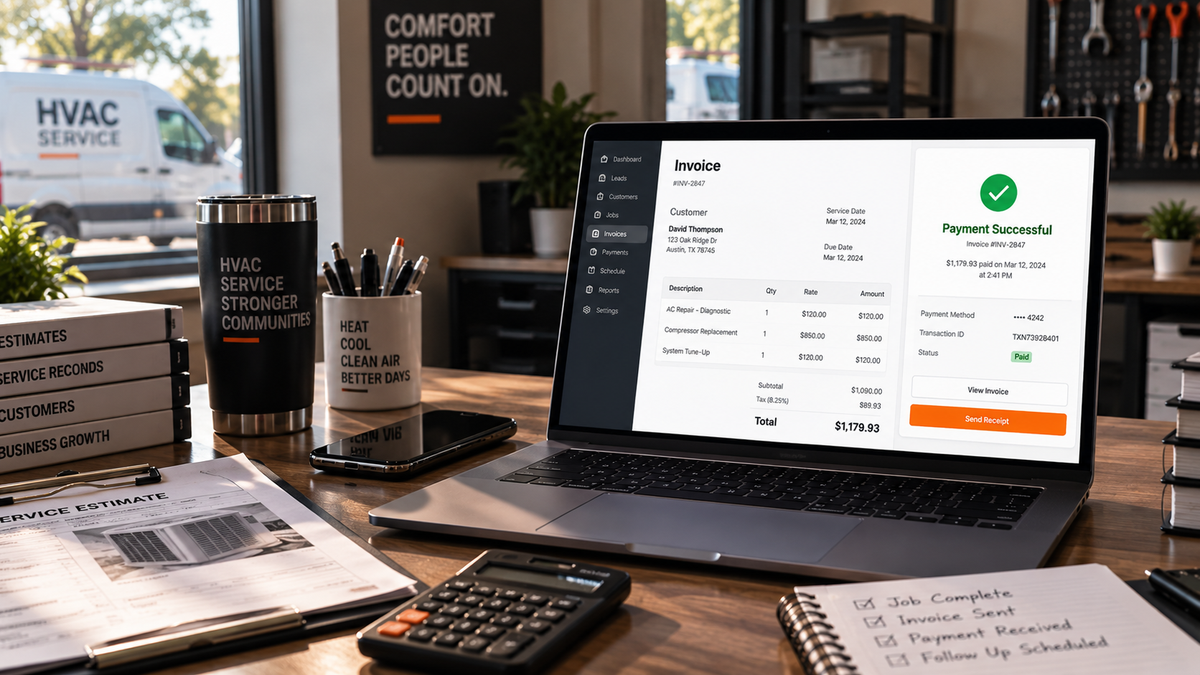
Manual invoicing has two failure modes: invoices that go out late because nobody got around to it, and invoices that go out on time but don't get paid because nobody followed up. Both are completely automatable.
Automated invoice generation triggers the moment a work order is marked complete. The invoice is created from the job record, sent to the customer with a payment link, and logged in the accounting system before any office staff have touched the job. For HVAC businesses running high weekly job volume, this eliminates the end-of-week invoice backlog that creates cash flow gaps.
Automated payment follow-up runs a sequence on invoices that haven't been paid: a reminder three days before the due date, a follow-up on the due date, and a past-due notice seven days after. Each message includes the invoice amount and a direct payment link. The sequence stops when payment is received and escalates to the collections workflow for invoices past a defined threshold.
Simpro's 2025 Trades Outlook Report found that AI-powered documentation tools accelerate payment cycles by 15 to 20 days and reduce billing disputes by up to 40%. For an HVAC business with $200,000 in monthly revenue, collecting 15 days faster meaningfully improves available working capital without changing the underlying revenue at all.
For commercial HVAC businesses submitting through customer portals Corrigo, ServiceChannel, Verisae automated portal submission and rejection monitoring prevents the invoice bouncing loop that Wishup's commercial HVAC deployment data identified as the primary cash flow delay in large commercial operations.
Workflow 5: Customer Communication and Follow-Up
Most HVAC businesses communicate reactively when a customer has a problem, they respond. Proactive customer communication, the kind that generates maintenance visits, seasonal tune-ups, and repeat bookings before the urgency creates the call, requires a cadence that manual processes can't sustain consistently across an active customer base.
Automated customer communication covers five specific touchpoints. Post-job follow-up fires within 24 hours of every completed job confirming the work, providing a summary of what was done, and requesting a review. Seasonal maintenance reminders go out before each peak period, referencing the customer's specific equipment and last service date. Maintenance agreement renewal notices fire 60, 30, and seven days before expiry. Annual equipment check-in messages reach past customers at the anniversary of their last service. And post-estimate check-ins go out when a customer has received a quote but hasn't responded.
Each message draws customer-specific details from the CRM name, equipment type, service address, last service date, quote amount. A maintenance reminder that says "Hi Sarah, it's been about 13 months since we serviced your Lennox system at 4821 Oak Drive" converts at a meaningfully higher rate than a generic seasonal promotion, because the specificity demonstrates that the business actually knows who the customer is.
Workflow 6: CRM Data Management
An HVAC CRM is only as useful as the data in it. When records are updated manually when someone gets around to it the CRM lags two or three days behind what's actually happening in the field. Dispatching, follow-up sequencing, and management reporting all run on that outdated picture.
Automated CRM data management logs every call, every message sent, every job status change, and every customer interaction in real time, without requiring any team member to manually enter the data. The CRM reflects what's actually happening at all times.
This sounds simple, but the downstream impact is significant. Follow-up sequences trigger on correct timing because the CRM data they read from is current. Dispatch recommendations are accurate because technician and job records reflect real-time status. Management reports surface the actual pipeline rather than a version of it from two days ago. And attribution tracking understanding which marketing channels are producing which jobs is only possible when the data connecting leads to outcomes is complete and current.
The integration pathway for CRM automation varies by platform. ServiceTitan, Jobber, and Housecall Pro all expose APIs that allow external automation tools to write outcomes back to job and customer records in real time. For platforms with more limited API access, webhook-based integrations through middleware tools like Zapier or Make achieve most of the same outcomes.
Read More: Why Social Media Doesn't Work for HVAC Companies (And What Does)
Workflow 7: Dormant Lead and Customer Reactivation
Every HVAC business with any real operating history has a CRM full of underutilized contacts. Past customers who haven't had service in over a year. Leads who received a quote and went quiet. Maintenance agreement holders whose agreements lapsed without renewal.
These contacts represent acquisition costs already paid. The marketing spend that generated the initial lead, the site visit that produced the estimate, the job that built the customer relationship all of it is sunk. The only missing piece is a systematic outreach at the right moment.
Automated reactivation identifies contacts based on inactivity thresholds and runs personalized SMS and email sequences referencing the original service history. The specificity is what drives conversion. A message that says "Hi Marcus, it's been about 15 months since we replaced your Carrier system at 847 Riverside Drive wanted to check if you're due for your first annual service" is a fundamentally different communication than a generic seasonal blast. The CRM data to make it specific already exists. The automation uses it.
The math on dormant lead reactivation is consistently compelling. Converting 10% of a CRM with 200 dormant contacts at a $2,500 average quote value produces $25,000 in revenue at zero additional marketing cost. Past customer reactivation at a $500 maintenance visit average, converting 15% of 150 inactive customers, produces $11,250. Together, that's $36,250 in revenue from contacts the business already has not from new advertising spend.
Workflow 8: Marketing, Reviews, and Reputation
Review generation is one of the highest-ROI automations available to HVAC businesses because the impact compounds indefinitely. A review requested manually when someone remembers to ask produces an irregular flow a surge, then months of nothing. An automated review request that fires within 24 hours of every completed job produces a continuous stream of new reviews that keeps the Google Business Profile's review recency current, which directly influences local search rankings.
A business completing 15 jobs per week that captures 30% of customers as reviewers generates over 200 new Google reviews per year without any team member sending a single request manually. That review volume builds a local search ranking advantage that grows continuously.
Content marketing automation blog production, email campaigns, and social content scheduled around HVAC seasonal demand cycles maintains the organic visibility that generates inbound leads without requiring daily manual effort. Pre-summer AC content published and indexed in March attracts homeowners thinking about seasonal tune-ups before the heat hits. Pre-winter furnace content in September captures customers before the cold snap generates emergency calls.
Google Business Profile posts, which signal to Google's local ranking algorithm that the business is active, can be drafted and scheduled automatically based on completed jobs and seasonal topics eliminating the manual posting that most HVAC businesses intend to do and consistently don't.
What HVAC Business Automation Actually Costs in 2026
Here are the actual cost ranges for each automation category based on current market pricing.
Lead capture and AI voice answering: $59 to $150 per month for subscription-based tools. $3,000 to $8,000 to build a custom AI voice agent configured for HVAC-specific call flows, plus $200 to $500 per month in operating costs.
Dispatch and scheduling optimization: $200 to $600 per month for AI-powered scheduling tools that integrate with existing field service platforms. Route optimization tools for teams of 10 or more technicians typically start at $300 per month.
CRM and workflow automation: $150 to $500 per month for platforms covering estimate follow-up, invoice automation, customer communication, and basic pipeline management. $5,000 to $15,000 for custom automation builds connecting multiple tools through API integrations.
Full automation stack (all 8 workflows): $15,000 to $40,000 for a complete custom implementation covering every workflow area as a connected system, with monthly operating costs of $500 to $1,500 depending on contact volume and interaction volume. Most HVAC businesses at this level see positive ROI within 60 to 90 days.
For comparison, a full-time HVAC office administrator costs $45,000 to $65,000 per year in salary, plus $13,000 to $15,000 in benefits and overhead a total of $60,000 to $80,000 annually. A complete automation stack at $40,000 build plus $18,000 in annual operating costs produces $58,000 in year-one total cost, with ongoing costs of $18,000 per year after that. And unlike a human administrator, the automation runs at 2 AM on a Saturday at exactly the same quality as 10 AM on a Monday.
How to Build the Full Automation Stack Without Replacing Your Current Systems
The concern that stops most HVAC businesses from pursuing automation is the assumption that it requires replacing ServiceTitan, Jobber, or Housecall Pro platforms the team knows, the data lives in, and the operational process is built around. That assumption is incorrect.
The most effective HVAC automation implementations in 2026 connect to existing field service platforms through API integrations rather than replacing them. The CRM and dispatch board stay as the primary operational interface. The automation layer connects to them, reads from them to personalize automated interactions, and writes outcomes back to them so the CRM reflects what happened.
The practical process for building the stack: start with the highest-revenue-impact automation first almost always lead capture and instant response, because the ROI is immediate and calculable before deployment. Configure the AI voice agent against the existing scheduling system so it can book directly without creating a manual handoff. Once that's running and producing measurable results, layer in estimate follow-up automation, then customer communication workflows, then dormant lead reactivation, then the full marketing automation layer.
Each layer builds on the CRM data the previous layer is keeping current. That's why a connected system produces better outcomes than the same tools running independently because every component is working from an accurate, real-time picture of the customer base and lead pipeline.
Read More: Best HVAC Marketing Strategies to Generate More Leads (That Actually Work in 2026)
How FatCamel AI Delivers Complete HVAC Workflow Automation
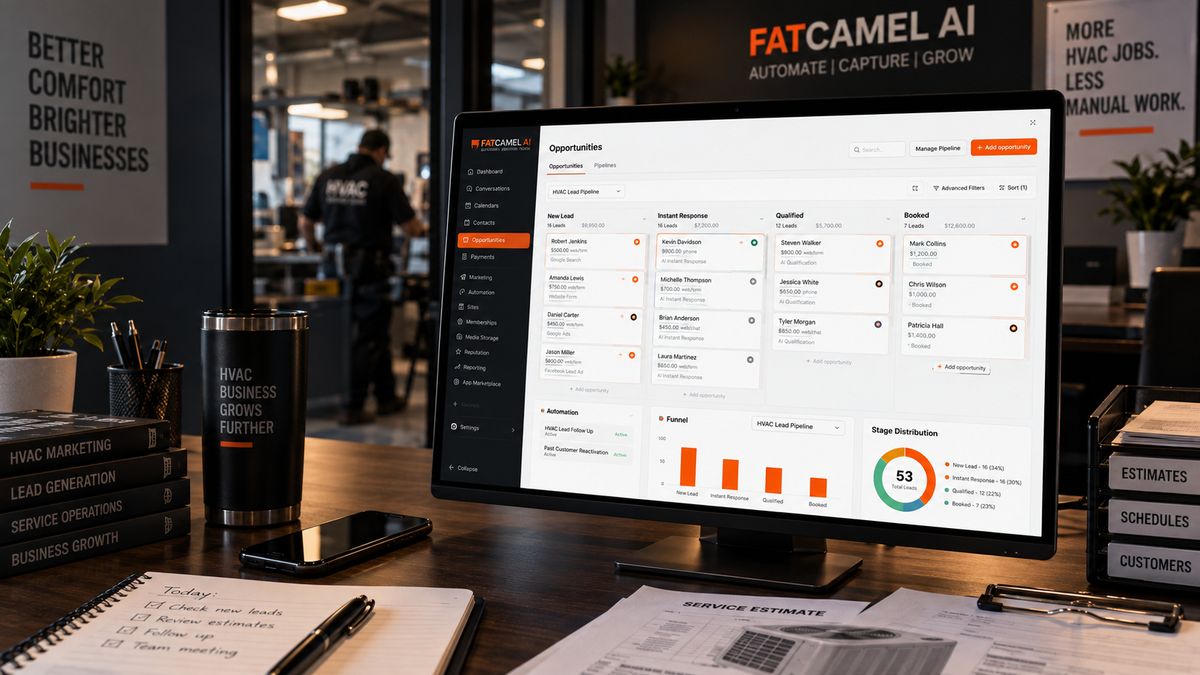
Every workflow described in this guide is more effective when connected to the others than when any single one runs in isolation. Lead capture that doesn't connect to follow-up automation creates a manual handoff. Follow-up sequences that don't draw from current CRM data send messages that feel generic. Estimate automation that doesn't connect to invoice generation creates a gap where jobs fall through.
FatCamel AI builds and operates the complete HVAC business automation stack as a connected system not eight separate tools requiring separate logins, separate maintenance, and manual coordination between them.
RealtorVoiceAI covers Workflow 1 answering every call immediately, qualifying every situation, booking directly into the scheduling system, and logging every interaction to the CRM automatically. The Lead Activation Engine covers Workflows 5 and 7 running multi-touch follow-up sequences, estimate chasers, dormant lead reactivation, and past customer re-engagement automatically based on live CRM data. CRM Automation covers Workflow 6 ogging every interaction in real time so the pipeline always reflects what's actually happening. ContentFlow covers Workflow 8 producing blog posts, email campaigns, social content, and review requests on a schedule built around HVAC seasonal demand. And the dispatch optimization layer covers Workflow 2 surfacing technician-job recommendations based on skills, location, and availability data from the existing field service platform.
Every component connects to the CRM and field service platform already in use ServiceTitan, Jobber, Housecall Pro, FieldEdge. The team doesn't change how they use their current tools. The automation layer runs underneath, handling the consistent, time-sensitive process work that manual operations can't sustain through a busy season and the results appear in the existing system as current, organized, actionable data.
For HVAC businesses that are ready to stop trading owner hours for operational consistency, this is the practical path forward. Not a replacement system. Not a VA team operating eight separate tools. A connected automation stack that runs all eight core workflows as a single system, built on top of the platforms already in place.
👉 Get a Free AI Revenue Audit for Your HVAC Business at https://www.fatcamel.ai/contact
FAQ
1. What is HVAC business automation?
HVAC business automation is the use of connected software systems to handle specific operational workflows without manual initiation from the team including lead capture and response, dispatch and scheduling, estimate management, invoice generation and collection, customer communication, CRM data logging, dormant lead reactivation, and marketing and review generation. The defining characteristic of effective HVAC automation is that it connects to the field service platform already in use rather than replacing it, and runs continuously regardless of team capacity or time of day.
2. Where should an HVAC business start with automation?
Lead capture and instant response is the highest-ROI starting point for most HVAC businesses. Between 35 and 45% of HVAC calls arrive after hours, and most of those go to voicemail. At an average job value of $650, recovering five missed calls per week produces over $169,000 in annual revenue recovery. Starting here produces a measurable return fast enough to validate the broader automation investment and fund the next implementation from the revenue it generates.
3. How much does HVAC business automation cost?
A single automation like an AI voice agent for lead capture costs $59 to $150 per month for subscription tools, or $3,000 to $8,000 for a custom HVAC-specific build with $200 to $500 per month in operating costs. A complete eight-workflow automation stack ranges from $15,000 to $40,000 for full implementation, with $500 to $1,500 in monthly operating costs. For context, a full-time HVAC back-office administrator costs $60,000 to $80,000 annually including benefits and overhead the full automation stack costs less than one year of that salary and runs 24 hours a day without sick days or turnover.
4. Does HVAC business automation require replacing ServiceTitan, Jobber, or Housecall Pro?
No. The most effective HVAC automation implementations connect to existing field service platforms through API integrations rather than replacing them. The CRM and dispatch board remain the primary operational interface. The automation layer reads from existing data to personalize interactions and writes outcomes back to keep the CRM current. The team continues using what they already know; the automation runs underneath, handling the process work that doesn't require human judgment.
5. How does HVAC workflow automation improve cash flow?
Automated invoicing generates and sends invoices immediately when jobs are marked complete, eliminating the delay between job completion and invoice delivery. Automated payment follow-up runs reminder sequences on unpaid invoices, reducing the time between invoice sent and payment received. Industry data from Simpro's 2025 Trades Outlook Report shows AI-powered documentation tools accelerate payment cycles by 15 to 20 days and reduce billing disputes by up to 40%. For a business with $200,000 in monthly revenue, collecting 15 days faster provides meaningful working capital improvement without changing revenue at all.
6. How does dormant lead reactivation work in an HVAC automation system?
Dormant lead reactivation identifies CRM contacts that haven't been active beyond a defined threshold typically 90 days for unconverted leads and 12 months for past customers and runs personalized SMS and email sequences referencing the original inquiry or service history. The personalization uses real CRM data: the customer's name, equipment type, service address, and last service date. Contacts that respond positively move into the active booking flow. Non-responders enter a quarterly nurture track. Converting 10% of 200 dormant contacts at a $2,500 average quote value produces $25,000 in revenue from contacts the business already has.
7. How does FatCamel AI automate the complete HVAC business workflow?
FatCamel AI builds and operates all eight core HVAC workflows as a connected system RealtorVoiceAI for lead capture and instant response, Lead Activation Engine for follow-up sequences and dormant reactivation, CRM Automation for real-time data logging, ContentFlow for marketing and review generation, and dispatch optimization connected to the existing field service platform. Every component connects to the CRM already in use rather than replacing it. The result is a complete workflow automation stack that runs continuously, keeps the pipeline current, and delivers consistent operational output whether the team is managing a heat wave or a slow week.
References
https://www.wishup.co/blog/hvac-business-automation/
https://www.fieldax.com/blog/hvac-business-automation-complete-guide-to-streamlining-operations/
https://www.fieldinsight.com/blog/field-service-automation-guide/
https://www.simprogroup.com/resources/ebooks/trades-outlook-report-2025
https://www.wordstream.com/blog/ws/2016/02/29/google-adwords-industry-benchmarks
https://www.callrail.com/blog/missed-calls-stats
https://www.artifactaisolutions.com/blog/hvac-revenue-lost-from-missed-calls
https://www.servicetitan.com/blog/hvac-ai
https://www.fatcamel.ai/services/crm-automation